LAB/05 — INVENTORY

Products

Ready-to-ship software, delivered the day you buy it.

Plugins are sold by independent developers, who handle their own refunds and support. Terms · Privacy

PLUGIN PACK

Power Trip Pack

The Power Trip update rewired the whole server economy at once: a powergrid that dies when nobody feeds it, Heavy Fuses that only drop from VeryRare loot, satellite crashes on a schedule you cannot see, a crude oil chain that exists in exactly one place on the map, and recycler rates that quietly changed under every server. Fix one of those and the next one bites you. This pack is the full set. Five plugins, built together, that put every piece of Power Trip back under your control. **GridControl** — Pin the powergrid at the stage you want, or set a floor it can never drop below. No more dead monuments on a quiet night. **FuseEconomy** — Let players buy Heavy Fuses with Economics or ServerRewards instead of praying to the loot table. The grid stays fed because people can feed it. **SatelliteCrashManager** — Schedule satellite crashes, announce them, mark them on the map, and lock the loot to the players who earned it. **CrudeOilLogistics** — Tune the crude pumps, spawn pay-to-use pumps anywhere on the map, or skip the Oil Rig puzzle entirely for PvE. **RecyclerControl** — Set efficiency, speed and stage gating for green, yellow and red recyclers. Your loot economy, tuned by you, not by the last patch. ### Why the pack These five were designed as one system. GridControl decides what stage the grid is at. FuseEconomy decides how players push it there. RecyclerControl and CrudeOilLogistics decide what that stage unlocks. SatelliteCrashManager decides when the big events land. Run them together and Power Trip works on your server the way it was meant to — PvE, modded, or low-pop. Bought alone they are $84.95. The pack is $59.99. Each plugin is a full, separate file with its own config and its own updates.

$59.99 · 5 plugins

PLUGIN PACK

Pet Pack

Three pets. One on the ground, one in the air, one on foot beside you. All loyal only to you, none of them able to hurt a friend. **PetBradley** — A quarter-scale Bradley APC that follows you around, scans for enemies every half second and opens up on whatever hits you, your team or the pet. It climbs steps, eases down drops and warps back if it gets stuck or left behind. Never fires on its owner or their team. Main cannon off by default, so it is a bodyguard, not a base-flattener. `/pb` to call it. **PetHeli** — A miniature patrol helicopter that orbits you at a fixed radius, turns door-side so the guns actually bear, and follows wherever you walk. Real patrol heli AI, but the rockets and napalm are gone — a pet is refused the two things that level a base. Door guns only. `/ph` to call it. **PetScientist** — A real scientist NPC that walks the game's own navmesh, so it follows you through your base, up your stairs, into monuments and across the map. Close a door on it or drop off a cliff and it warps to you three seconds later. Eleven variants — heavy, arctic, peacekeeper, NVG, LR-300, MP5, shotgun and more — each one a switch in the config. Shoots back at 10% damage by default. `/ps` to call it. ## Three ways to hand them out All three pets work the same way, so your players learn one and know the rest: - **Chat command** behind a permission — give it to VIPs, donors or everyone. - **A throwable flare** — a skinned flare item that summons the pet where it lands. Store the pet and you get the flare back, so flares can be traded, sold in your shop or handed out as prizes. `/pb give`, `/ph give` and `/psgive` put one in a player's hands. - **Crate loot** — optional drops from the crate types you choose, at the chance you set. ## Bodyguards, not hunters Every pet in the pack is defensive by default: it only fires on what hit its owner, a teammate, or the pet itself, and forgets an attacker 20 seconds after their last hit. Your players walk past boars, scientist camps and other players without their pet starting a war. Flip one switch and it hunts anything in range instead. Every pet steps aside when its owner mounts a vehicle, noclips or vanishes, and comes back on its own. No tank under a minicopter, no heli chasing a car, no scientist stuck at the horse. ## Why the pack The three were built together and share one design. Same command shape (`/pb`, `/ph`, `/ps`), same four permissions (`.spawn`, `.flare`, `.give`, `.admin`), same flare system, same defensive mode, same auto-hide, same live-editable scale and damage. Same developer API, so one integration covers all three. A pet scientist knows the other two pets and never fires on them. Run all three and your server has a matched set: a player with a Bradley at their heels, a heli overhead and a scientist at their shoulder is the most fun thing on the map, and none of them can hurt a base. Scale, health, damage, search range, follow distance, targeting toggles, aggro window, auto-hide triggers and loot chance are all in each config. Bought alone they are $59.97. The pack is $39.99. Each plugin is a separate file with its own config and its own updates.

$39.99 · 3 plugins

RUST PLUGIN

TerritoryWars

Facepunch shipped the hex territory grid and no game to play on it. This is the game: claim cells, plant a capital, keep your supply lines intact, and hold ground that other factions want. ## The problem The September wipe put a hex territory grid in vanilla Rust — a hex overlay on the map, 32 faction slots with names and colours, per-cell ownership, contiguous-region counting, save and load. All of it already renders on your players' map screen. None of it does anything. Cells can only be painted by an admin typing console commands. There is no way to claim, no protection, no scoring, no decay — nothing a player can do with it. Facepunch built the board and shipped no rules. ## The basics **A faction is your clan, else your vanilla team, else you on your own.** Nothing to sign up for, and each of those three sources is a switch you can turn off. **Stand in a hex to take it.** A capture starts when the cell is neutral or enemy-held, no living enemy is inside it, and it borders a cell you already own. A faction with no land anywhere gets one free beachhead so it can get started. **More people is faster**, up to a cap you set. Walk away and progress drains back down. **An enemy walking in stops you.** By default their arrival wipes your progress; one setting makes it freeze instead. **Holding pays.** Every owned cell earns points every minute, and taking one pays a bonus. **Neglect costs.** A cell nobody from the owning faction stands in for the decay window reverts to neutral. ## Capitals Every faction plants a capital with `/tw capital`. It is the anchor of everything else: - A capital costs **three times** the normal capture time to take, so it is the fight worth having - It carries a map marker and a label on everyone's map, so your enemies know where it is - Moving it has a cooldown, so nobody dodges an attack by relocating mid-siege - **Lose it and your whole empire is cut off.** You get a grace window to declare a new one before your cells start rotting ## Supply lines Owned cells must chain back to your capital. Cut a faction's territory in half and the half that no longer connects is orphaned — it reverts to neutral on a timer, without anyone having to stand there capturing it. That turns the map into a real front line. Punching through the middle of an empire is worth more than nibbling at its edge, and a defender has something to defend that is not just "every cell at once". ## You cannot hold the whole map Cells are capped by faction size: a base allowance every faction gets, plus extra per member, up to a hard ceiling. A five-man clan cannot paint the island. At the cap, taking new ground means giving some up — `/tw abandon` releases the cell you are standing in, on a cooldown so it is a decision rather than a toggle. Scoring pushes the same way. Cells past your full-value count pay a reduced rate, so sprawl earns less and less, while a cell bordering an enemy faction pays a **frontline multiplier**. The points are where the fighting is. ## Sieges you find out about When an attacker gets a quarter of the way through taking one of your cells, your faction is told — with a cooldown so a griefer cannot spam your chat by tapping cells. Repel them and they are locked out of that cell for a while. Take a cell and it is shielded from immediate recapture, so a contested border does not flip every thirty seconds. ## And a reason to own the ground Harvesting inside your own supplied territory pays a yield multiplier. Territory stops being a scoreboard and starts being where your faction farms. ## Features - Claim, contest and lose hex cells on the vanilla territory map - Clans, vanilla teams and solo factions, each independently switchable - Adjacency rule, beachhead rule, and excluded cells that can never be taken - Capture blocked in safe zones, and optionally while building blocked - Multi-player capture speed bonus, with drain when you leave - Capitals with map markers, labels, a capture multiplier and a move cooldown - Supply chains, with orphaned cells decaying back to neutral - Cell caps by faction size, with `/tw abandon` and an abandon cooldown - Diminishing returns on sprawl, and a frontline multiplier on contested cells - Gather yield bonus inside your own supplied cells - Siege alerts, attacker repel lockouts and post-capture shields - Capture progress bar, position and size configurable - Standings panel with paging, and optional Steam avatars - Capture broadcasts, server-wide or only to the factions involved - Automatic v1 → v2 migration: existing claims get a capital and a claim time - `tw.selftest` — a full self-check covering capitals, supply, caps, scoring, sieges and the migration, using scratch records it removes afterwards - Public API for other plugin authors - Oxide and Carbon - Clans used when present, not required ## Commands **Players** | Command | Does | |---|---| | `/tw` | Standings panel — rank, faction, cells, score, your own line and the cell you are in | | `/tw top` | The same top ten in chat | | `/tw here` | Cell id, owner, capital status, neighbours you hold, capture cost | | `/tw capital` | Declare the cell you are standing in as your capital | | `/tw abandon` | Give up the cell you are standing in | | `/tw colour #RRGGBB` | Recolour your faction on everyone's map | **Admin** — console, or in-game with `territorywars.admin` | Command | Does | |---|---| | `tw.createfaction <key> <name> [#RRGGBB]` | Create a faction up front, for event servers | | `tw.delfaction <key>` | Remove a faction and return its land to neutral | | `tw.setcell <cell> <faction\|none>` | Paint one cell by hand | | `tw.setcapital <faction> <cell>` | Set a faction's capital | | `tw.reset` | Every cell neutral, every faction cleared | | `tw.selftest` | Run the full self-check | ## Permissions | Permission | Effect | |---|---| | `territorywars.admin` | The `tw.*` console commands from in-game | | `territorywars.play` | Only checked when the play-permission setting is on. Off by default, so everyone plays | ## Settings worth tuning first **Hex size in metres** (default 100). Decide this before you open the server: changing it rebuilds the grid and clears every claim. On a 4250 map, 100m gives roughly 1300 cells. **Seconds one player needs to take a cell** (default 30). Multiply by your hex size to sanity-check it. Push it to 60–120 on a slower server. **Cell caps** (default 4 base, +2 per member, 24 hard ceiling). This is the setting that decides whether your map is carved up by everyone or owned by one clan. **Supply chain** (default on). Turning it off removes the front-line mechanic entirely and makes claims independent again. **Hours a cell survives with no owner inside it** (default 24). Zero disables decay, and the map will fill and stay full. **Frontline multiplier** (default 2) and **diminishing returns** (full value for 6 cells, 0.4 after). Together these decide whether your server rewards fighting or farming. ## Configuration ```json { "Grid: hex size in metres (centre to corner) - changing this rebuilds the grid and clears every claim": 100.0, "Grid: east/west offset in metres": 0.0, "Grid: north/south offset in metres": 0.0, "Capture: seconds one player needs to take a cell": 30.0, "Capture: extra members that still speed up a capture (1 = no group bonus)": 3, "Capture: how fast unattended progress drains, as a multiple of the fill rate": 0.5, "Capture: a cell must border one you already own": true, "Capture: a faction with no cells may take any one cell as a beachhead": true, "Capture: an enemy stepping in wipes progress instead of freezing it": true, "Capture: block capturing inside safe zones": true, "Capture: block capturing while building blocked": false, "Capture: cell ids that can never be captured": [], "Capture: only players with the territorywars.play permission may capture": false, "Scoring: points awarded for taking a cell": 50, "Scoring: points per owned cell per minute": 1.0, "Scoring: seconds between scoring ticks": 60.0, "Scoring: cells that pay the full rate before diminishing returns start": 6, "Scoring: what every cell past the full-value count pays, as a fraction": 0.4, "Scoring: multiplier for a cell bordering an enemy faction (1 = off)": 2.0, "Decay: hours a cell survives with no owner inside it (0 disables decay)": 24.0, "Decay: minutes between decay checks": 15.0, "Capital: how much longer a capital takes to capture than a normal cell": 3.0, "Capital: hours before the capital may be moved again": 6.0, "Capital: minutes to declare a new capital after losing one before the empire starts rotting": 15.0, "Capital: show a map marker on each faction capital": true, "Capital: map label text, {0} is the faction name (empty = no label)": "{0} CAPITAL", "Supply: owned cells must chain back to the capital (false disables supply entirely)": true, "Supply: minutes a cut-off cell survives before reverting to neutral": 30.0, "Cap: cells every faction may hold regardless of size": 4, "Cap: extra cells allowed per faction member": 2, "Cap: cells no faction may exceed, however large": 24, "Cap: minutes before a faction may abandon another cell (0 = off)": 10.0, "Gather: yield multiplier while harvesting inside your own supplied cell (1 = off)": 1.25, "Siege: capture progress (0-1) at which the owning faction is warned": 0.25, "Siege: minutes before the same cell may raise another alert (0 = off)": 3.0, "Siege: seconds an attacker is locked out of a cell after being repelled (0 = off)": 60.0, "Siege: minutes a freshly captured cell cannot be captured again (0 = off)": 10.0, "Factions: use the Clans plugin when it is loaded": true, "Factions: fall back to the vanilla team": true, "Factions: fall back to the individual player": true, "Announce: broadcast captures in chat": true, "Announce: only tell the factions involved, not the whole server": false, "UI: show the capture progress bar": true, "UI: capture bar anchor, 'x y' in screen fractions": "0.5 0.18", "UI: capture bar size in pixels, 'width height'": "320 46", "UI: standings rows per page": 12, "UI: show Steam avatars in the standings": false, "UI: colours": { }, "Admin: reuse the slot of a faction holding no cells and no score when all 31 are taken": true } ``` Anything that would divide by zero or spin the grid into nonsense is clamped on load, so a bad edit warns rather than breaking a live server. ## The 31-faction limit Vanilla allows 31 factions plus neutral. That is an engine limit, not a plugin choice. Faction slots are only allocated the moment a capture genuinely starts progressing, so players wandering the map never burn one. When all 31 are held, TerritoryWars reuses the slot of a faction that holds no cells and has no score — it **never** evicts a faction that still owns ground; the new claimant is told the board is full instead. On a server with more than 31 active groups, use clans so the slots go further. ## Steam avatars are off by default A standings row with a Steam avatar makes the client fetch that image, and a slow fetch delays the whole panel opening. Turn them on once you have confirmed the panel opens instantly without them. ## For other plugin authors `TerritoryZoneController` is public and this plugin does not wrap it, so you can read the grid directly: ```csharp var grid = PointEntity<TerritoryZoneController>.ServerInstance; int cell = HexGridLayout.WorldToCell(player.transform.position, grid.HexSize, grid.GridOffset); int owner = grid.GetFaction(cell); string who = grid.FactionNames[owner]; ``` ## Requirements Rust server on the September 2026 build (25011799) or newer — the build that added the territory grid. Oxide or Carbon. No other plugin required; a Clans plugin is used if you have one. ## Support Every purchase comes with the private updates channel in our Discord and updates for the life of the plugin. Your licence key and download live on your purchases page the moment payment clears.

$29.99 · v2.0.0
RUST PLUGIN

Death Redeem

Gives players the option to respawn at their death location using a configurable cost. Supports Scrap, Economics, ServerRewards, or custom items, with a full death-screen UI, a player-facing bank UI, and in-game admin controls. Features Death-screen card next to the respawn options — shows cost and your balance at a glance, colour-coded green when you can afford it and grey/red when you can't One-click redeem: pay and respawn near your death location instantly Player bank UI (/deathbank) — deposit and withdraw with buttons (+10 / +100 / +1000 / ALL), live balance, on-hand count, respawn cost, and a status line telling you exactly how much more you need for your next redeem Admin UI for changing settings in-game without touching the config Four payment modes: Scrap, Economics, ServerRewards, or a custom token item (any item + skin ID) Configurable redeem window, respawn offset distance, costs, colours, UI position, and command names VIP-friendly bypass permission for free respawns Safe respawn placement — finds clear ground near the death spot, never inside walls or foundations Permissions deathredeem.use Allows use of the death-screen redeem button and /drshow. deathredeem.bank Allows use of the bank system. Required for the /deathbank UI and the /bankd and /bankw commands. Also allows /drshow info output. deathredeem.admin Grants access to the Admin UI. Allows changing payment mode, cost, enabling/disabling the plugin, and toggling withdrawals. deathredeem.bypass Bypasses all costs and checks. Free respawn, ignores balance requirements. Chat Commands Command names are configurable — defaults shown below. /deathbank Permission: deathredeem.bank Opens the bank UI. Shows your bank balance, scrap/tokens on hand, and the current respawn cost, with deposit and withdraw buttons. Only used in Scrap or CustomItem modes. /bankd <amount> Permission: deathredeem.bank Deposits scrap or custom tokens into the DeathRedeem bank via chat. Only used in Scrap or CustomItem modes. /bankw <amount> Permission: deathredeem.bank Withdraws scrap or tokens from the bank via chat. Requires AllowWithdraw = true. /deathredeem Permission: deathredeem.admin Opens the DeathRedeem Admin UI. /drshow Permission: deathredeem.use, deathredeem.bank, or deathredeem.bypass Shows current mode, cost, and player balance. Payment Modes Scrap Economics ServerRewards Custom token item (configurable shortname, skin ID, and display name) Data Bank data saved to DeathRedeem_Bank.json Bank clears on wipe (configurable) Please open a ticket with the plugin name to purchase.

£24.99 · v1.1.0

RUST PLUGIN

SatelliteCrashManager

Vanilla only spawns a satellite when someone powers a control computer at powergrid stage 4. Run them on a schedule instead — announced, marked on the map, and locked to the crew that gets there first. ## The problem The Satellite Crash is the best thing in the Power Trip update and most of your players will never see one. Vanilla has no satellite event scheduler. The only way a satellite comes down is a player powering up the control computer at Launch Site, which requires the powergrid at **stage 4** — eighteen Heavy Fuses burning at once. On the average server that happens never. And when it does happen, nobody else knows it happened until they stumble on a burnt-out wreck someone already emptied. ## What SatelliteCrashManager does **Schedules them.** Random interval between a minimum and maximum you set, gated on a minimum player count, skipping its slot if one is already on the way. Your server gets satellite crashes whether or not anyone has touched the Power Plant. **Announces them.** Chat message when the satellite starts falling, another when it lands with the map grid reference, another when the fires burn out and the crates open. A map marker sits on the crash site so latecomers can find it. **Locks the wreck.** The first player to open a crate or hit the remains claims the site, and their whole team inherits access. Everyone else gets told how long they have to wait. No more third parties sniping loot from the crew that flew the thing down. **Collects the settings.** Every satellite server variable that actually matters — including the in-game hour cooldown on the control computer — gathered into one config block with plain-English labels, applied on load and restored on unload. ## Uses Facepunch's own crash-site search Launches go through vanilla's `satellite.random`, so the site validation is Facepunch's code: topology, water, ground slope, unevenness, safezone clearance and building-privilege standoff. No reimplemented targeting to drift out of sync next update, and no satellites landing in the middle of someone's base. ## Built for PVE too Two settings turn this into a PVE event: drop the powergrid requirement so crashes work without a stage 4 grid, and set the impact kill radius to `0` so a landing stops killing players and flattening buildings. Combined with the loot lock, you get a co-operative event that rewards the crew that showed up. ## Features - Automatic crashes on a random interval, with a minimum player gate - Skips its slot if a satellite is already descending - `/satellite call` to trigger one on demand - Descent, impact and crates-ready chat announcements with map grid references - Map marker at the crash site for a configurable duration - Loot lock — first crew to arrive owns the crates and the wreck - Optional lock on damaging the wreck, not just looting it - Bypass permission for staff - `/satellite` lists live crash sites, their age and their owner - Nine vanilla satellite settings in one labelled config block, restored on unload - Full language file - Oxide and Carbon - No dependencies ## Commands | Command | Access | Description | |---|---|---| | `/satellite` | admin | List active crash sites, age and owner | | `/satellite call` | admin | Launch a satellite now | ## Permissions - `satellitecrashmanager.admin` — `/satellite` and `/satellite call` - `satellitecrashmanager.bypasslock` — ignore loot locks ## Configuration ```json { "Automatically launch crashes": true, "Minimum minutes between automatic crashes": 90.0, "Maximum minutes between automatic crashes": 150.0, "Minimum players online for an automatic crash": 2, "Announce when a satellite starts descending": true, "Announce where a satellite landed": true, "Announce when the crash crates stop burning": true, "Show a map marker at the crash site": true, "Map marker radius": 0.4, "Map marker minutes": 30.0, "Loot lock mode (off, firstcome)": "firstcome", "Loot lock seconds after impact": 900.0, "Loot lock also blocks damaging the wreck": true, "Apply the vanilla convar overrides below on load": false, "Vanilla convar overrides": { "satellite.require_powerplant (needs powergrid stage 4 to launch)": true, "satellite.free_power (power up the computer with no items)": false, "satellite.free_fuel (thrusters cost no fuel)": false, "satellite.kill_radius (metres cleared on impact, 0 to harm nothing)": 10.0, "satellite.crate_fire_duration (seconds crates burn before they unlock)": 300.0, "satellite.wreck_fire_duration (seconds the wreck is too hot to harvest)": 480.0, "satellite.control_window (seconds of thruster control)": 180.0, "satellite.cooldown_hours_min (in-game hours before the computer can be used again)": 18.0, "satellite.cooldown_hours_max (in-game hours before the computer can be used again)": 18.0 } } ``` The convar block is passthrough — those are Facepunch's own server variables, gathered into one labelled place and set for you on load. ## Known limits, stated up front Loot cannot be locked to whoever launched the satellite. The game does not record that — `SatelliteControlComputer` has no owner field. First crew on site is the lock this plugin can honestly offer. ## Requirements Rust server on the Power Trip build (2026-08-06) or newer. ## Pairs with **GridControl** — hold the grid at stage 4 and let players launch satellites from the control computer the way Facepunch intended, alongside the scheduled ones. ## Support Every purchase comes with the private updates channel in our Discord and updates for the life of the plugin. Your licence key and download live on your purchases page the moment payment clears.

$24.99 · v1.0.0

RUST PLUGIN

CrudeOilLogistics

The crude oil chain is the deepest progression loop Rust has, and it exists in one spot on the map behind a stage 3 grid and two Oil Rig puzzles. Speed it up, open it up, and put pumps wherever you want them — metered, if you want players to pay. ## The problem Power Trip built a genuinely great resource chain and then hid it. To get one drop of crude, your players need the powergrid at **stage 3**, then someone has to run the red puzzle rooms at Small or Large Oil Rig to flip the switches, then get to Dome, then bring a modular vehicle with a Tanker Module, then connect it with a Hose Tool, then drive it back and extract it on a car lift. On a vanilla PVP server with a clan running the map, that is a great Tuesday. On a PVE server, a low-pop server, or anything with a casual playerbase, it means nobody ever touches crude oil. The pumps are slow, they are in exactly one place, and the puzzle in front of them is longer than most of your players are willing to sit through. ## What CrudeOilLogistics does **Makes the pumps worth using.** One output multiplier and one tick interval. Turn a 20-minute trickle into something a player actually drives out to collect. **Puts pumps where your players are.** Stand at a gas station, outside Outpost, at a roadside stop, anywhere at all — type `/crudepump add` and a real, working crude pump spawns there and saves itself to your config. They come back automatically every restart. **Charges for them, if you want.** Extra pumps can be metered like real fuel pumps. Players pay scrap, Economics currency or ServerRewards points for a window of access. Your Dome pumps stay free and vanilla; only the ones you placed cost money. **Drops the puzzle for PVE.** Two settings and the pumps just run — no Oil Rig red rooms, no stage 3 requirement, at whatever output rate you pick. The chain becomes "drive a tanker to a pump", which is a thing your players will actually do. ## Built on the real thing Every pump this plugin places is Facepunch's own pump entity, spawned from the same prefab as the ones at Dome. The tuning writes the same public fields vanilla writes. Production is driven by calling the game's own oil-switch handler. No Harmony patch, no reflection, no reimplemented pump. Vanilla's hose connections, tanker filling, car lift extraction and crude stacking all keep working, because none of it was replaced. Pumps this plugin spawns are flagged to never enter your server save, so a crash can't leave orphans scattered across your map. They're removed on unload and rebuilt from config on load. ## Features - Output multiplier and tick interval for every crude pump on the map - Change or remove the powergrid stage requirement - Run pumps without the Oil Rig switches, at a forced output level — the PVE setting - Place unlimited extra pumps anywhere with one chat command - Optional metering on placed pumps: items, Economics or ServerRewards, per-access time window - Free-access permission for staff and VIP ranks - Configurable crude oil stack size for pumps and tankers - `/crude` shows any player the pump status, estimated output per minute and their access time - Developer API for shop and quest plugins - Clean unload — vanilla pumps restored, placed pumps removed - Full language file - Oxide and Carbon - No hard dependencies ## Commands | Command | Access | Description | |---|---|---| | `/crude` | everyone | Pump count, grid stage, crude per minute, running state, access left | | `/crude pay` | everyone | Buy access to metered pumps | | `/crudepump list` | admin | List your placed pumps | | `/crudepump add [name]` | admin | Place a pump where you stand | | `/crudepump remove <n>` | admin | Remove a placed pump | ## Permissions - `crudeoillogistics.admin` — place and remove pumps - `crudeoillogistics.free` — never charged at metered pumps ## API ```csharp [PluginReference] private Plugin CrudeOilLogistics; bool allowed = CrudeOilLogistics?.Call<bool>("HasPumpAccess", player) ?? false; ``` ## Configuration ```json { "Output multiplier for every crude pump (1 leaves vanilla)": 1.0, "Seconds between pump ticks (0 leaves vanilla, vanilla is 60)": 0.0, "Powergrid stage the pumps need (-1 leaves vanilla, 0 removes the requirement)": -1, "Run pumps without the Oil Rig switches (PVE servers)": false, "Forced oil switch multiplier when bypassing (1 equals both rigs running)": 1.0, "Crude oil stack size in tankers and pumps (0 leaves vanilla, vanilla is 2000)": 0, "Seconds between upkeep checks": 30.0, "Extra pumps": { "Charge players to draw from extra pumps": false, "Payment mode (items, economics, serverrewards)": "economics", "Item cost per access (shortname: amount)": { "scrap": 50 }, "Currency cost per access (economics / serverrewards)": 250.0, "Minutes of access bought": 30.0, "Prefab to clone for extra pumps (blank copies whatever pump the map already has)": "", "Pump locations (use /crudepump add in game to fill this in)": [] } } ``` `/crudepump add` fills the pump list in for you; an entry is just a name and a place: ```json { "Name": "Gas station north", "X": 412.5, "Z": -1183.0, "Rotation": 90.0 } ``` ## Two things worth knowing before you ask **Pump locations ship empty on purpose.** A hardcoded offset spawns pumps inside walls on custom maps. Placing them with one chat command where you are standing is the only version of this that works everywhere. **A tanker will not take crude while it sits on a lift.** That is vanilla `Vehicle.inEditableLocation`, not this plugin. ## Requirements Rust server on the Power Trip build (2026-08-06) or newer. ## Pairs with **GridControl** — hold the grid at stage 3 so the Dome pumps stay online without anyone feeding fuses. ## Support Every purchase comes with the private updates channel in our Discord and updates for the life of the plugin. Your licence key and download live on your purchases page the moment payment clears.

$19.99 · v1.0.1

PLUGIN PACK

Gambling Pack

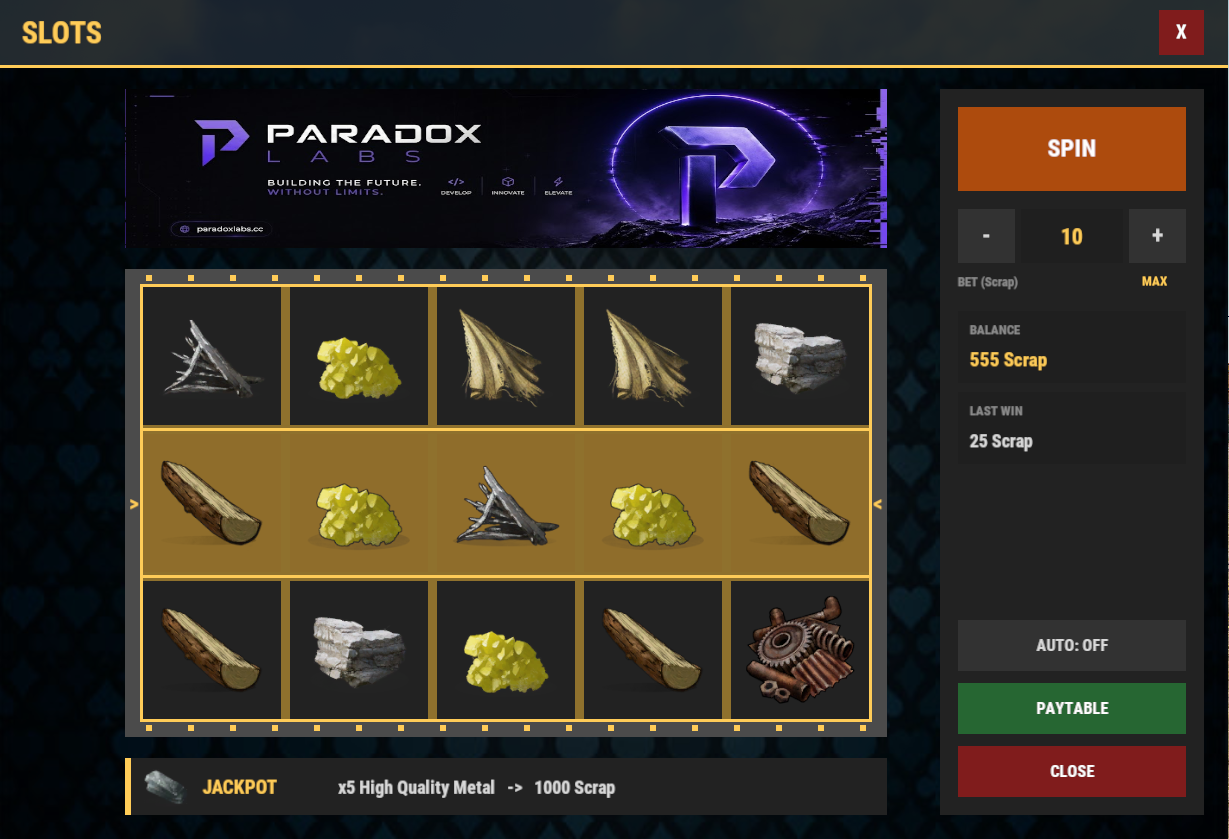
Turn your server's scrap into a casino. Three gambling plugins that share one currency, one look and one feel, so players learn them once and play all three. Every game takes bets in **Scrap**, **Economics** or **ServerRewards** — your pick. Every game is safe on disconnect: a player who logs out mid-hand, mid-flip or mid-spin loses nothing, and what they are owed is settled when they come back. **Blackjack** — A full table with animated dealing. Play the dealer with real rules (stands on 17, optional soft 17, multi-deck shoe, double down) or challenge another player head-to-head, closest to 21 takes the pot. `/bj` to open, `/bj top` for the leaderboard. **Coin Flip** — The fastest bet on the server. Flip against the house on a 50/50 with a house edge you set, or call out another player and let the coin decide who takes the pot. Cooldowns and daily limits keep it from getting out of hand. `/cf` to open, `/cf top` for the leaderboard. **Slot Machine** — A fully animated slot machine, 3 to 7 reels by 1 to 5 rows, with any Rust item as a symbol — skins included. Live paytable, bet controls, auto-spin, and a jackpot banner above the reels with its own sound when someone hits it. Bet in one currency and pay out in another if you want. `/slots` to open. ### Why the pack These three were built as one set. Same currency hooks, same permission pattern, same animated UI, same care on disconnect. Install all three and your server has a casino, not three plugins that happen to be about gambling. Every bet range, payout multiplier, table tax, cooldown and symbol is in the config. Run it tight or run it loose. Bought alone they are £29.97. The pack is £19.99. Each plugin is a separate file with its own config and its own updates.

£19.99 · 3 plugins

RUST PLUGIN

GridControl

Pin or floor the powergrid stage so your monuments stay powered — no fuse babysitting, no dead Power Plant, no players who never see the new content. ## The problem The Power Trip update put half the island behind the Power Plant. Airfield's airdrop dispatcher, Oxum's car lift, Supermarket freezers, Water Treatment, the Oil Rig crude pumps, the Red Recycler, Chinook resupply, satellite control — all of it needs Heavy Fuses burning in the Power Plant, and every fuse dies after 2 hours 40 minutes. On a busy vanilla PVP server, fine. Everywhere else it collapses. Nobody farms VeryRare fuses to power a monument for the whole server. Your grid sits at stage 0, your players never see the content you paid for, and your Discord fills up with "is the power plant broken?" ## What GridControl does Sets a stage and holds it. **Floor mode** — your grid never drops below the stage you pick. Players can still insert real fuses and push it higher. Set it to 1 and Water Treatment, the car lift and the freezers are always on. Set it to 4 and the Red Recycler runs all wipe. **Pin mode** — the grid sits at exactly the stage you name and does not move, whatever anyone inserts. **Off** — vanilla, untouched. ## Built the right way No Harmony patch and no reflection into private state. The plugin tracks the real fuse count and tops up the difference, so a player's own fuses always count for something. Unload it and your server is vanilla again on the next tick. ## Features - Floor, pin or off — three modes, one field - Optional fuse lifespan override: extend it, or make fuses burn forever - Stage-change announcements in chat, so players know the moment something came online - `/grid` shows any player the current stage, fuse count and what the next stage needs - Full language file, every message editable - Clean unload — your server returns to vanilla behaviour - Oxide and Carbon - No dependencies ## Commands | Command | Access | Description | |---|---|---| | `/grid` | everyone | Current stage, fuses vs sockets, fuses to next stage | | `gridcontrol.set <off\|floor\|pin> [stage]` | admin | Change mode live, saves to config | ## Permissions - `gridcontrol.admin` — use `gridcontrol.set` ## Configuration ```json { "Mode (off, floor, pin)": "floor", "Target stage": 1, "Fuse lifespan seconds (-1 leaves vanilla, 0 means fuses never burn out)": -1.0, "Announce stage changes in chat": true, "Seconds between grid checks": 5.0 } ``` ## Requirements Rust server on the Power Trip build (2026-08-06) or newer. ## Pairs with **FuseEconomy** — let your players buy Heavy Fuses and push the grid past your floor themselves. **RecyclerControl** — the grid stage GridControl holds is exactly what decides your recycler efficiency. Set both and stop guessing. **CrudeOilLogistics** — stage 3 brings the Dome crude pumps online. Hold the stage here, tune the pumps there. ## Support Every purchase comes with the private updates channel in our Discord and updates for the life of the plugin. Your licence key and download live on your purchases page the moment payment clears.

$19.99 · v1.0.0

RUST PLUGIN

LagSnitch

Your server is at 12 FPS and the console tells you nothing useful. LagSnitch names the grid square, the player and the entity type responsible — in chat, on a HUD, and in your Discord. ## The problem Rust gives you a tick rate number and nothing else. When it drops, you are left guessing: is it entities, is it turrets, is it one player's industrial spaghetti, is it a plugin, is it the save? So the usual fix is a restart, then another restart, then a wipe, and you never find out what it was. Meanwhile your players feel every second of it. ## What LagSnitch does Watches the server continuously and attributes the cost. **By grid square.** The top offending grids, ranked, so you can fly to the problem instead of guessing at it. **By player.** `/lagsnitch player <name>` gives you one person's entity footprint — what they have built, how much of it costs, and their ping. **By entity type.** IO entities, industrial, turrets, storage, vehicles, NPCs, building blocks — counted, ranked, and shown against the thresholds you set. **By subsystem.** Server manager update, net cycle, physics sync, player cycle — the millisecond cost of each, so "the server is lagging" becomes "the net cycle is eating 40ms". **By spike.** The lag spike profiler records RPCs, commands and RCON calls that blew past your millisecond thresholds, so a one-second freeze leaves evidence instead of a memory. ## It tells you before your players do Set a warning and a critical tick rate. When the server crosses critical, LagSnitch can take an automatic snapshot — the full picture at the moment it went bad — and post to your Discord webhook. You read the diagnosis in the morning instead of reconstructing the night. ## A HUD, not just chat spam `/lagsnitch ui` opens a live performance HUD you can drag where you want it and expand for detail. Admins get it by default; give your moderators `lagsnitch.view` and they get it too, without the commands that change anything. ## Features - Continuous monitoring on an interval you set - Top grids, top owners and top entity types, all ranked - Per-player entity footprint and ping report - Subsystem millisecond breakdown — server manager, net cycle, physics, player cycle - Lag spike profiler for RPC, command and RCON calls over your thresholds - Work queue profiler - Network profiler with per-connection stats and optional packet capture - Memory and GC report, save timing report - Manual and automatic snapshots, with history you can page back through - Discord webhook alerts on critical events - Draggable, resettable live HUD with per-player positions - Three permissions, so read-only staff never get the destructive commands - Oxide and Carbon - No dependencies ## Commands `/lagsnitch` on its own prints the help. Available to `lagsnitch.view` and `lagsnitch.admin`. | Command | Access | Description | |---|---|---| | `/lagsnitch health` | view | Tick rate, frame rate, entity counts against your thresholds | | `/lagsnitch grid` | view | Top offending grid squares | | `/lagsnitch player <name\|steamid>` | view | One player's entity footprint and ping | | `/lagsnitch entities` | view | Entity types ranked by cost | | `/lagsnitch subsystems` | view | Millisecond cost per server subsystem | | `/lagsnitch spikes` | view | Recent lag spikes and what caused them | | `/lagsnitch network` | view | Network and per-connection stats | | `/lagsnitch memory` | view | Memory use and GC collections | | `/lagsnitch saves` | view | Save duration history | | `/lagsnitch ui` | view | Toggle the live HUD | | `/lagsnitch reset` | view | Reset your HUD position | | `/lagsnitch snapshot` | admin | Take a full snapshot now | ## Permissions | Permission | Effect | |---|---| | `lagsnitch.admin` | Everything, including snapshots and profiler controls | | `lagsnitch.view` | Read-only reports and the HUD | | `lagsnitch.alerts` | Receives in-game alerts when thresholds are crossed | ## Configuration ```json { "Monitoring": { "CheckIntervalSeconds": 10.0, "TopGridCount": 10, "TopOwnerCount": 10, "TopEntityTypeCount": 10 }, "LagThresholds": { "TickRateWarning": 20.0, "TickRateCritical": 15.0, "FrameRateWarning": 30.0, "AutoSnapshotOnCritical": true, "HighPingThresholdMs": 150, "EntityCountWarning": 400000 }, "SnapshotSettings": { "EnableHistory": true, "MaxSnapshotsStored": 50 }, "DiscordWebhook": { "Enabled": false, "Url": "" }, "ProfilingFeatures": { "EnableLagSpikeProfiler": true, "EnableWorkQueueProfiler": true, "MaxSpikeEventsShown": 20 }, "RuntimeProfiler": { "Preset": 1, "RpcLagSpikeThresholdMs": 40, "CommandLagSpikeThresholdMs": 40, "RconLagSpikeThresholdMs": 40 }, "NetworkProfiler": { "EnablePerConnectionStats": false, "ConnectionsPerFrame": 30, "EnablePacketCapture": true, "PacketCaptureDefaultSecs": 10 }, "Hud": { "RefreshIntervalSeconds": 3.0, "AllowViewPermission": true, "AnchorMin": "0.35 0.85", "AnchorMax": "0.65 0.85" } } ``` ## One thing to decide deliberately `RuntimeProfiler.Preset` is `1` out of the box, which turns on Facepunch's own profiler recorders and gives you the GC and allocation detail. Presets 1 and 2 upload performance telemetry to Facepunch's servers. Set it to `0` if that is not something you want, and the rest of the plugin still works. ## Requirements Oxide or Carbon. No dependencies. ## Support Every purchase comes with the private updates channel in our Discord and updates for the life of the plugin. Your licence key and download live on your purchases page the moment payment clears.

$19.99 · v1.0.4

RUST PLUGIN

MagicVendies

Rewrite what the monument vendors sell, from inside the game. Point at a machine, change the orders, rename it, reskin it — no config editing, no restart. ## The problem The NPC vending machines at Outpost and Bandit Camp are the only shop most players ever use, and their stock is whatever Facepunch decided. If your server is 5x, or PVE, or running a custom economy, those prices are wrong on day one — and the only way to change them is a config file full of item ids and a server restart to see whether you got it right. ## What MagicVendies does `/magicvendies` opens an admin UI listing every NPC vending machine at the monuments you configure. From there you can: - **See every machine** at a monument, and teleport straight to one to check your work - **Edit its orders** — what it sells, what it costs, how many - **Search a real item browser** instead of typing shortnames, with paging and search - **Set skins** on the items it sells, and on the machine itself - **Give an order a custom display name** - **Toggle blueprint mode** on an order - **Edit an order that is already live**, or remove it - **Rename the machine** so players know what it is Changes are saved and restored, so the machines come back the way you left them after a restart or a plugin reload. ## Purchase cap Vanilla lets a player pull a machine's entire stock in one transaction. `Max Purchase Amount` caps how much can be bought at once, so a single buyer cannot empty a shop you set up for the whole server. ## Features - In-game UI for every NPC vending machine at the monuments you list - Add, edit and remove sell orders without touching a config file - Item browser with search and paging — no shortname hunting - Skin ids on sold items, custom display names, blueprint toggle - Rename machines and set machine skins - Teleport to any listed machine from the UI - Edit orders that are already live - Per-transaction purchase cap - Settings persist across restarts and reloads - One permission gates the whole tool - Oxide and Carbon - No dependencies ## Commands | Command | Access | Description | |---|---|---| | `/magicvendies` | `magicvendies.use` | Open the vending machine editor | Everything else happens in the UI. ## Permissions - `magicvendies.use` — open and use the editor ## Configuration ```json { "Monument Names": [ "Outpost" ], "Max Purchase Amount (minimum 1, default 10)": 10 } ``` Add the monuments you want to manage to the list — Bandit Camp, Fishing Village, and any custom monument by name. ## Requirements Oxide or Carbon. No dependencies. ## Support Every purchase comes with the private updates channel in our Discord and updates for the life of the plugin. Your licence key and download live on your purchases page the moment payment clears.

$19.99 · v1.0.4

RUST PLUGIN

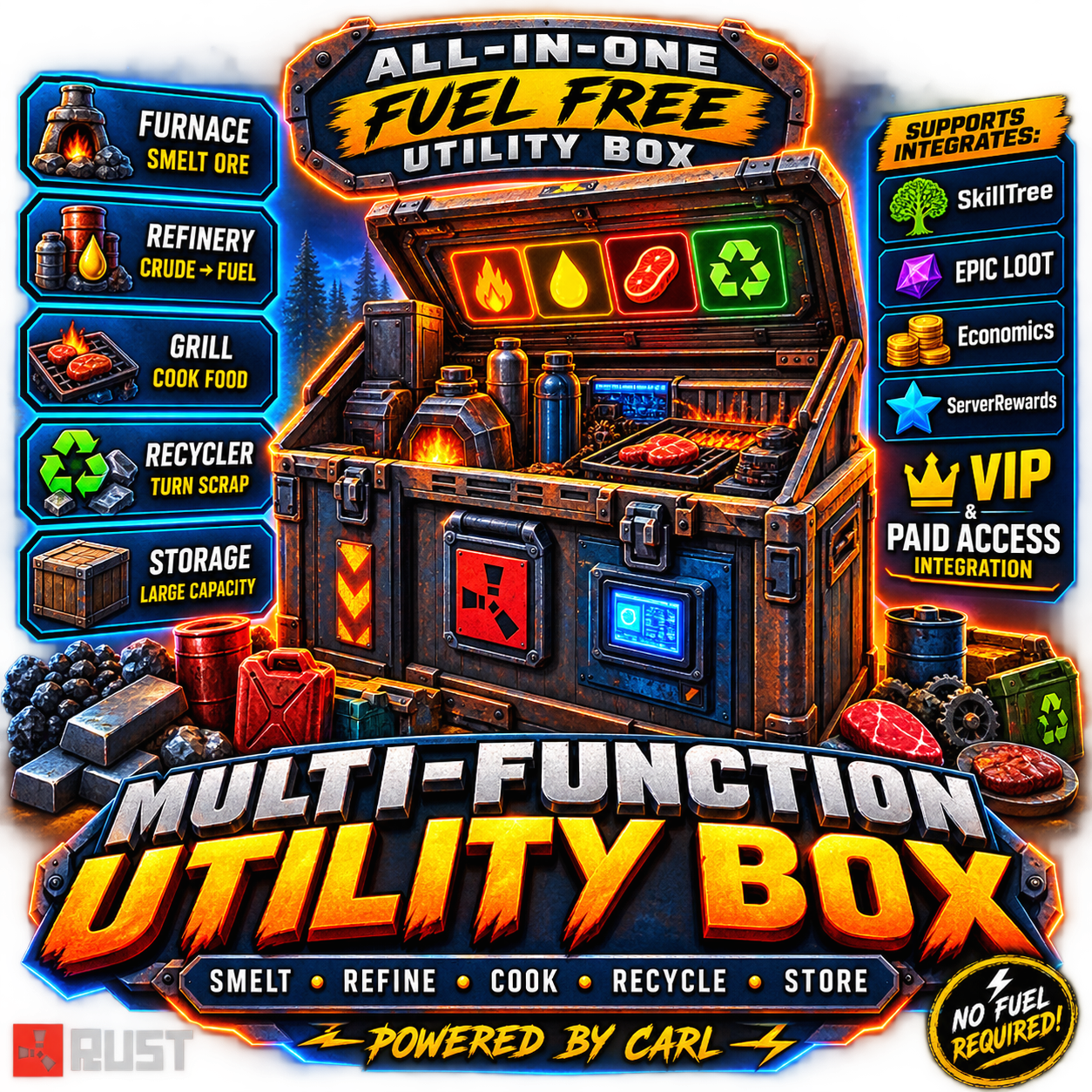
Multi Function Utility Box

Turns a normal deployable box into an all-in-one passive processing station smelting, cooking, refining, and recycling all happen automatically inside the same box, no separate furnaces or recyclers needed. Give it out as a special reskinned item via command, and it only activates its processing when it recognizes its own skin. Features Reskins a configurable base deployable (default: large wooden box) with a workshop skin, recognized purely by name + skin ID Passively smelts ore, cooks food, refines crude oil, and recycles items — all inside the box on a set interval Recycling has a randomized yield range and a short exemption timer, so items can't be instantly re-recycled in a loop Fixed yields for non-craftable loot items (Gears, Tech Trash, etc.) SkillTree and Epic Loot integration for speed bonuses and bonus loot rolls Optional paid temporary access for non-VIP players (Scrap, Economics, ServerRewards, custom item, or resources) Shop-ready — mfbox.give is a console command, so it drops straight into any shop plugin for players to buy Admin diagnostic command to check why a container is/isn't recognized as a Utility Box Chat Commands /mfbox — (admin) give yourself a Utility Box /box — buy/activate temporary processing access (VIP with permanent access just gets a confirmation reply) /mfboxclear <name/steamid> — (admin) clear a player's temporary paid access Console Commands mfbox.give <name/steamid> — give a Utility Box to a player (wire this into your shop plugin's purchase command to sell it) mfbox.clearaccess <name/steamid> — clear temporary access via RCON/console mfbox.checkbox — (F1, looking at a container) diagnostic: shows prefab/skin match and tracking status Permissions multifunctionutilitybox.use — required for a box to actually process (permanent access) multifunctionutilitybox.give — required to use /mfbox and /mfboxclear

£19.99 · v1.0.0

RUST PLUGIN

PetBradley

A pocket-sized Bradley APC that follows its owner, guns down whatever attacks them, and cannot hurt a friend. ## The problem Bradley is the best thing Facepunch ever put on the island, and your players meet it twice a wipe — once at Launch Site and once as a corpse. The rest of the wipe it sits in the compound doing nothing for you: no reward to hand out, no VIP perk anyone actually wants, no reason to open another crate. Every "pet" plugin answers that with a scientist in a hat or a re-skinned bear. PetBradley hands the player the tank. ## What PetBradley does Spawns a real BradleyAPC — the game's own vehicle, its own AI, its own turret — at a quarter scale, with its gun turned down to something a base fight can survive. It follows its owner around, scans for enemies every 0.45 seconds, and fires on players, NPCs or animals depending on what you allow. It never targets its owner. It never targets the owner's team. Damage to either is zeroed before it lands, so no friendly-fire ticket ever reaches your Discord. Walk away and it drives after you. Climb a lighthouse and it stops trying to drive up the wall, sits still for three seconds, then reappears at your side. Fall off a cliff and it eases down instead of teleporting. ## Bodyguard, not a hunter By default the pet is defensive. It only fires on things that hit its owner, a teammate, or the pet itself, and it forgets an attacker 20 seconds after their last hit. Your players can walk past a boar, a scientist camp or another player without the tank starting a war. Flip `DefensiveOnly` off and it attacks any allowed target in range, the way it did in 1.0.1. ## Steps aside when it should The pet hides itself when its owner mounts anything (horse, car, heli, any seat), enters a Raidable Bases event, noclips, or vanishes. It comes back on its own when the reason is gone. No tank left under a minicopter, no tank inside somebody's raid bubble. Each trigger is a switch in the config. ## Three ways to hand one out Turn on any combination: **Chat command** — `/pb`, gated behind a permission. The straightforward VIP perk. **A thrown flare** — the pet ships as a skinned flare item. Throw it, the tank appears. Store the pet and the flare comes back to your inventory. Sell it in your shop, hand it out as an event prize, put it in a kit. **Crate loot** — off by default. Turn it on and the flare drops from any crate list you name, at any chance you name. Elite crates, heli crates, Bradley's own crate — your call. ## Built the right way No Harmony patch, no reflection into private state. Every server-wide hook — damage, targeting, loot spawn, item use — stays unsubscribed while no pet is out, and the 0.15s movement tick does not even exist until the first one spawns. A server with the plugin loaded and nobody using it pays nothing for it. Pets are cleaned up on owner death, on disconnect and on unload. Nothing survives a restart to haunt your map. ## Features - Real Bradley AI at a configurable scale, from 0.1 up to full size - Bullet damage and max health set by config, live-editable in game - Main cannon off by default — turn it on if your server wants the noise - Defensive by default: only shoots what hit the owner, a teammate, or the pet - Owner and owner's team are immune, and never targeted - Targeting toggles for players, NPCs and animals - Auto-hide when mounted, in a Raidable Bases event, in noclip, or vanished — returns by itself - Follows through steps and slopes, eases down drops, warps back when stuck or left behind - Deploy by command, by thrown flare, by crate loot — any combination - Storing the pet returns the flare item - Zero hook cost while no pet is out - Full language file, every message editable - Developer API and hooks, shared with PetHeli and PetScientist - Oxide and Carbon - No dependencies ## Commands | Command | Access | Description | |---|---|---| | `/pb` | `petbradley.spawn` | Toggle: spawn a pet, or store the one you have | | `/pb spawn` | `petbradley.spawn` | Spawn a pet | | `/pb dismiss` / `store` / `pickup` | `petbradley.spawn` | Store the pet, returning the flare item | | `/pb give <player>` | `petbradley.give` | Give a player a deploy flare | | `/pb scale <0.1-1>` | `petbradley.admin` | Set the pet scale, live, and save it to config | | `/pb dmg <number>` | `petbradley.admin` | Set bullet damage, live, and save it to config | ## Permissions - `petbradley.spawn` — use `/pb` to spawn and store - `petbradley.flare` — deploy by throwing the flare item - `petbradley.give` — use `/pb give` - `petbradley.admin` — use `/pb scale` and `/pb dmg` ## Configuration ```json { "Scale": 0.25, "BulletDamage": 2.5, "StoppingDist": 3.0, "SearchRange": 60.0, "MaxStepHeight": 0.75, "MaxFollowDistance": 30.0, "MaxVerticalGap": 4.0, "UseCannon": false, "MaxHealth": 300.0, "Modes": { "Command": true, "Flare": true, "LootCrates": false }, "Targets": { "Players": true, "NPCs": true, "Animals": true }, "DefensiveOnly (only attack what hits the owner, a teammate, or the pet)": true, "AggroSeconds (how long an attacker stays a target)": 20.0, "AutoHide": { "WhenMounted (car, heli, horse, any seat)": true, "InRaidableBase": true, "WhenNoclip": true, "WhenVanished (needs the Vanish plugin)": true }, "PickupReturnsItem": true, "DeployItemShortname": "flare", "DeployItemName": "Pet Bradley", "DeploySkin": 1357924680, "LootChance": 0.08, "LootCratePrefabs": [ "crate_normal", "crate_normal_2", "crate_elite", "crate_mine", "heli_crate", "bradley_crate" ] } ``` Scale and BulletDamage apply to a pet already out the moment you change them with `/pb scale` or `/pb dmg`. MaxFollowDistance is the leash: past it the pet stops driving and reappears beside its owner. ## Developer API Same surface on PetBradley, PetHeli and PetScientist, so one integration covers all three: - `API_IsPet(BaseEntity)`, `API_GetPetOwner(BaseEntity)`, `API_HasPet(ulong)`, `API_StorePet(ulong)`, `API_SuspendPet(ulong, bool hide)` - Hooks: `CanSpawnPet(BasePlayer)` (return non-null to block), `OnPetSpawned(BaseEntity, BasePlayer)`, `OnPetRemoved(BaseEntity, ulong)` ## Requirements Any current Rust server on Oxide or Carbon. No other plugins needed. Optional: Raidable Bases and Vanish, for those two auto-hide triggers. ## Support Every purchase comes with the private updates channel in our Discord and updates for the life of the plugin. Your licence key and download live on your purchases page the moment payment clears.

$19.99 · v1.0.4

RUST PLUGIN

PetHeli

A miniature attack helicopter that circles its owner, guns down whatever attacks them, and cannot hurt a friend. ## The problem The patrol helicopter is the loudest event on your server, and it only ever happens *to* your players. It shows up, it burns a base down, it leaves. There is no version of it your players get to keep, no reward that hands them the thing that has been bullying them all wipe. PetHeli gives it to them — shrunk to a quarter size, parked over their shoulder, and pointed at whatever comes for them. ## What PetHeli does Spawns a real PatrolHelicopter — the game's own airframe, its own AI, its own door guns — at a quarter scale, with the guns turned down to something a base fight can survive. It orbits its owner at a fixed radius and height, turning door-side so the guns actually bear, and follows wherever the owner walks. It fires on players, NPCs or animals depending on what you allow. It never targets its owner. It never targets the owner's team. Damage to either is zeroed before it lands, so no friendly-fire ticket ever reaches your Discord. The rockets are gone. Strafing runs and napalm are the only two things a patrol helicopter does that flatten a base, and a pet is refused both, at every path into the strafe state. What is left is the door guns. It also carries no map marker, so the whole server does not see your VIP's pet. It never retires off the map on the vanilla lifetime timer. It ignores no-go zones instead of fleeing 130m from its owner. It drops no crates when it dies. Walk out of range and it reappears at its orbit point. Die, disconnect, or unload the plugin and it is gone. ## Bodyguard, not a hunter By default the pet is defensive. It only fires on things that hit its owner, a teammate, or the pet itself, and it forgets an attacker 20 seconds after their last hit. Your players can walk past a boar, a scientist camp or another player without the heli starting a war. Flip `DefensiveOnly` off and it attacks any allowed target in range, the way it did in 1.0.1. ## Steps aside when it should The pet hides itself when its owner mounts anything (horse, car, heli, any seat), enters a Raidable Bases event, noclips, or vanishes. It comes back on its own when the reason is gone. No heli circling somebody's raid bubble, no heli chasing a minicopter across the map. Each trigger is a switch in the config. ## Three ways to hand one out Turn on any combination: **Chat command** — `/ph`, gated behind a permission. The straightforward VIP perk. **A thrown flare** — the pet ships as a skinned flare item. Throw it, the helicopter appears. Store the pet and the flare comes back to your inventory. Sell it in your shop, hand it out as an event prize, put it in a kit. **Crate loot** — off by default. Turn it on and the flare drops from any crate list you name, at any chance you name. Elite crates, heli crates, Bradley's own crate — your call. ## Targeting, done properly Players are acquired by the helicopter's own vanilla AI, filtered on the way through, so the plugin runs no scan loop for them and priority stays where the game puts it. Animals and Gen2 NPCs can never reach a vanilla heli's guns at all — the target list only holds players — so the pet scans for one itself, checks line of sight, and hands the nearest to both guns. A live player target always wins; the animal is dropped the moment one appears. ## Built the right way No Harmony patch. Every server-wide hook — damage, targeting, strafing, loot spawn, item use — stays unsubscribed while no pet is out, and the 0.15s tick does not even exist until the first one spawns. A server with the plugin loaded and nobody using it pays nothing for it. ## Features - Real patrol helicopter AI at a configurable scale, from 0.1 up to full size - Rockets and napalm refused — door guns only - Bullet damage and max health set by config, live-editable in game - Defensive by default: only shoots what hit the owner, a teammate, or the pet - Owner and owner's team are immune, and never targeted - Targeting toggles for players, NPCs and animals - Auto-hide when mounted, in a Raidable Bases event, in noclip, or vanished — returns by itself - Orbits the owner at a configurable radius, height and speed - No map marker, no retire timer, no fleeing, no death crates - Warps back to its orbit when left behind - Deploy by command, by thrown flare, by crate loot — any combination - Storing the pet returns the flare item - Zero hook cost while no pet is out - Cleaned up on owner death, disconnect and unload - Full language file, every message editable - Developer API and hooks, shared with PetBradley and PetScientist - Oxide and Carbon - No dependencies ## Commands | Command | Access | Description | |---|---|---| | `/ph` | `petheli.spawn` | Toggle: spawn a pet, or store the one you have | | `/ph spawn` | `petheli.spawn` | Spawn a pet | | `/ph dismiss` / `store` / `pickup` | `petheli.spawn` | Store the pet, returning the flare item | | `/ph give <player>` | `petheli.give` | Give a player a deploy flare | | `/ph scale <0.1-1>` | `petheli.admin` | Set the pet scale, live, and save it to config | | `/ph dmg <number>` | `petheli.admin` | Set bullet damage, live, and save it to config | ## Permissions - `petheli.spawn` — use `/ph` to spawn and store - `petheli.flare` — deploy by throwing the flare item - `petheli.give` — use `/ph give` - `petheli.admin` — use `/ph scale` and `/ph dmg` ## Configuration ```json { "Scale": 0.25, "BulletDamage": 2.5, "SearchRange": 60.0, "HoverHeight": 18.0, "OrbitRadius": 12.0, "OrbitSpeed": 25.0, "MaxFollowDistance": 80.0, "MaxHealth": 600.0, "Modes": { "Command": true, "Flare": true, "LootCrates": false }, "Targets": { "Players": true, "NPCs": true, "Animals": true }, "DefensiveOnly (only attack what hits the owner, a teammate, or the pet)": true, "AggroSeconds (how long an attacker stays a target)": 20.0, "AutoHide": { "WhenMounted (car, heli, horse, any seat)": true, "InRaidableBase": true, "WhenNoclip": true, "WhenVanished (needs the Vanish plugin)": true }, "PickupReturnsItem": true, "DeployItemShortname": "flare", "DeployItemName": "Pet Heli", "DeploySkin": 1357924681, "LootChance": 0.08, "LootCratePrefabs": [ "crate_normal", "crate_normal_2", "crate_elite", "crate_mine", "heli_crate", "bradley_crate" ] } ``` Scale and BulletDamage apply to a pet already out the moment you change them with `/ph scale` or `/ph dmg`. MaxFollowDistance is the leash: past it the pet reappears at its orbit point beside its owner, and it is never allowed below OrbitRadius + 20. ## Developer API Same surface on PetBradley, PetHeli and PetScientist, so one integration covers all three: - `API_IsPet(BaseEntity)`, `API_GetPetOwner(BaseEntity)`, `API_HasPet(ulong)`, `API_StorePet(ulong)`, `API_SuspendPet(ulong, bool hide)` - Hooks: `CanSpawnPet(BasePlayer)` (return non-null to block), `OnPetSpawned(BaseEntity, BasePlayer)`, `OnPetRemoved(BaseEntity, ulong)` ## Requirements Any current Rust server on Oxide or Carbon. No other plugins needed. Optional: Raidable Bases and Vanish, for those two auto-hide triggers. ## Support Every purchase comes with the private updates channel in our Discord and updates for the life of the plugin. Your licence key and download live on your purchases page the moment payment clears.

$19.99 · v1.0.4

RUST PLUGIN

PetScientist

A scientist NPC that follows its owner through bases, doors and monuments, shoots whatever attacks them, and deals reduced damage. Spawn it with a command, a thrown flare, or find one in a crate. ## What it is A scientist that belongs to a player. It walks on the game's own navmesh, so it follows you through your base, up your stairs, into monuments and across the map. Lose it off a cliff or behind a closed door and it warps to you after 3 seconds. It never gets stuck for long. By default it is a bodyguard, not a hunter. It only shoots things that hit you, your teammates, or the pet itself. Shoot a boar and it stands there. Let a wolf bite you and it opens fire. ## 11 variants, one config list Pick which scientists your players can have. Each one is a real Facepunch scientist prefab with its own gun and outfit: `full` (random loadout), `lr300`, `mp5`, `pistol`, `shotgun`, `heavy`, `arctic`, `peacekeeper`, `nvg`, `roam`, `junkpile` Turn any variant off. Set the default. Add your own prefab paths if you want. ## Three ways to get one - **Command** — `/ps` or `/ps heavy`. Permission-gated. - **Flare item** — a skinned flare named `Pet Scientist (heavy)`. Throw it, the pet spawns where it lands. Sell it in your shop, give it as a reward, hand it out with `/psgive`. - **Loot crates** — off by default. Turn it on and set a chance; the flare shows up in normal, military, elite, mine, heli and Bradley crates. ## Made for servers, not just for fun - **Damage scale.** Default 0.1, so the pet is a distraction and a helper, not a free kill machine. Set it to 0 for a pure decoy or 1 for full damage. - **Defensive only.** On by default. Turn it off and the pet attacks any valid target within `SearchRange`. - **Target filters.** Players, NPCs, animals. Each one a switch. - **Team-safe.** Never shoots the owner or teammates. Never damages them. Ignores shots from them. - **Safe zones.** Never fires inside one. - **Auto-hide.** The pet steps away when you mount anything (horse, car, heli, chair), noclip, or vanish. It comes back by itself when you stop. No lost pets under vehicles. - **Clean death.** Pet dies: no corpse, no loot bag, no free gun on the ground. Owner dies or disconnects: pet is gone. - **Nothing persists.** Pets never save to the map file. Restart the server, no orphan scientists. - **Plays nice with PetBradley and PetHeli.** It knows the other two pets and never fires on them. ## Commands | Command | Permission | Description | |---|---|---| | `/ps` | `petscientist.spawn` | Spawn the default variant, or store your live pet and get the flare back | | `/ps <variant>` | `petscientist.spawn` | Spawn that variant | | `/ps variants` | none | List enabled variants | | `/ps store` | none | Store your pet (also `dismiss`, `pickup`) | | `/ps scale <0.25-2>` | `petscientist.admin` | Set pet size, saves to config | | `/ps dmg <number>` | `petscientist.admin` | Set damage scale, saves to config | | `/psgive <player> [variant]` | `petscientist.give` | Give a player a Pet Scientist flare | ## Permissions - `petscientist.spawn` — use `/ps` - `petscientist.flare` — throw the flare item - `petscientist.give` — use `/psgive` - `petscientist.admin` — change scale and damage ## Configuration ```json { "Scale": 1.0, "DamageScale (multiplier on every hit the pet lands)": 0.1, "MaxHealth": 200.0, "StoppingDist": 3.0, "SearchRange": 40.0, "MaxFollowDistance": 30.0, "MaxVerticalGap": 4.0, "StuckSeconds (how long the pet may be stuck before it warps to you)": 3.0, "OwnerCanHurtPet": false, "DefaultVariant": "full", "Variants": [ { "Name": "full", "Prefab": "assets/rust.ai/agents/npcplayer/humannpc/scientist/scientistnpc_full_any.prefab", "Enabled": true }, "..." ], "Modes": { "Command": true, "Flare": true, "LootCrates": false }, "Targets": { "Players": true, "NPCs": true, "Animals": true }, "DefensiveOnly (only attack what hits the owner, a teammate, or the pet)": true, "AggroSeconds (how long an attacker stays a target)": 20.0, "AutoHide": { "WhenMounted (car, heli, horse, any seat)": true, "WhenNoclip": true, "WhenVanished (needs the Vanish plugin)": true }, "PickupReturnsItem": true, "DeployItemShortname": "flare", "DeployItemName": "Pet Scientist", "DeploySkin": 1357924682, "LootChance": 0.08, "LootCratePrefabs": [ "crate_normal", "crate_normal_2", "crate_elite", "crate_mine", "heli_crate", "bradley_crate" ] } ``` Every chat message is in the language file. ## Developer API Same surface as PetBradley and PetHeli, so one integration covers all three: - `API_IsPet(BaseEntity)`, `API_GetPetOwner(BaseEntity)`, `API_HasPet(ulong)`, `API_StorePet(ulong)`, `API_SuspendPet(ulong, bool)` - Hooks: `CanSpawnPet(BasePlayer)` (return non-null to block), `OnPetSpawned(BaseEntity, BasePlayer)`, `OnPetRemoved(BaseEntity, ulong)` ## Requirements - Oxide or Carbon. One file, no extensions, no Harmony. - Optional: Vanish (for the vanished auto-hide). ## Pairs with **PetBradley** — a mini Bradley that rolls beside you. **PetHeli** — a mini attack heli that circles overhead. All three share the same commands, config shape and API. ## Support Every purchase comes with the private updates channel in our Discord and updates for the life of the plugin. Your licence key and download live on your purchases page the moment payment clears.

$19.99 · v1.0.0

RUST PLUGIN

Server Sell

Turns any dropped box into a fully functional sell terminal, plus a standalone sell overlay you can pull up from your own inventory or any storage box — no shop plugin required. Prices flex with dynamic, live market conditions if you want them to, or stay flat and predictable if you don't. Features Drag-and-drop sell terminal UI, with a separate quick-sell overlay for your own inventory or any container you're looking at Three currency backends — Scrap, Economics, or ServerRewards — with a configurable exchange rate (value points per 1 currency) Optional dynamic pricing engine — online player count, time of day, weekends, demand, bulk-sell thresholds, seller rep, and season multipliers can all nudge prices live Fraction banking — leftover currency under a whole unit is banked per-player and paid out once it rolls over DLC-item protection (blocks Facepunch TOS-restricted items by default, with manual overrides) and optional blocking of skinned gear Per-item blacklist and a "removed items" list so admin-deleted entries never get re-seeded Sale announcements above a configurable payout threshold Full in-game admin price editor — browse by category, search, page through items, and edit or bulk-reprice on the fly Chat Commands /sell — open the sell terminal /sellinv — quick-sell straight from your own inventory /sellbox — quick-sell from the storage box you're looking at /selladmin — open the admin price editor UI /sellprice <shortname> [value] — view or set a single item's price /sellrate <points per 1 currency> — view or set the currency exchange rate /sellreprice <value> [category] — bulk-set every item, or one category, to a flat price /sellbank — check your banked remainder and lifetime earnings Permissions serversell.use — required to sell (terminal, inventory, or box) serversell.admin — required for /selladmin, /sellprice, /sellrate, /sellreprice

£19.99 · v1.3.1

RUST PLUGIN

Arcade

Six real arcade games inside Rust, with per-game leaderboards and rewards paid out at wipe. Something for your players to do while they wait for a raid timer or afk mates to come back. ## The problem Dead hours kill servers. Off-peak, mid-wipe, waiting on a base to decay, waiting for the clan to log on — players idle in a bag and then they idle somewhere else instead. ## What Arcade does `/arcade` opens a menu with six games, all built in Rust's own UI. No external site, no browser, no downloads. - **Snake** — classic snake with power-ups - **Breakout** — break all the bricks - **Tetris** — stack blocks, clear lines - **Minesweeper** — find all the mines - **Battleship** — sink the enemy fleet, with auto-place if you cannot be bothered - **Space Invaders** — shoot the alien invaders Every game keeps a high score per player and a server leaderboard. Each has its own how-to-play and scoring panel, so nobody has to ask how it works. ## Wipe rewards are the hook At wipe, the top three on each game's leaderboard get paid. First, second and third are configured per game, and a reward can be Economics currency, ServerRewards points, a plain item, a skinned item, a fully custom item with its own name and skin, or a console command run on the winner. Winners are told what they placed and what they won the next time they log in — the reward follows them, it does not expire in a queue they never see. Point a Discord webhook at it and the wipe results are posted for you. ## Features - Six complete games in Rust's own UI, no external service - Per-game leaderboards and per-player high scores - Configurable first, second and third place rewards for every game - Reward types: item, skinned item, custom item, Economics, ServerRewards, or a console command run on the winner - Wipe payout with a login notification for winners - Discord webhook for results - Full language file — 78 strings, every label and instruction editable - Sessions close cleanly on disconnect, respawn and wounding, so nobody plays while being shot - One permission to gate the whole thing - Oxide and Carbon - Economics, ServerRewards and Backpacks used when present, none required ## Commands | Command | Access | Description | |---|---|---| | `/arcade` | `arcade.use` | Open the game menu | Everything else — game selection, play, leaderboards, close — happens in the UI. ## Permissions - `arcade.use` — open and play the arcade ## Configuration ```json { "Discord Webhook URL": "", "Game Rewards": { "snake": { "First Place": [ ... ], "Second Place": [ ... ], "Third Place": [ ... ] }, "breakout": { }, "tetris": { }, "minesweeper": { }, "battleship": { }, "spaceinvaders": { } } } ``` Each place is a list, so one winner can receive several things. A reward entry looks like this: ```json { "Reward Type": "item", "Amount": 1000, "Item Short Name": "scrap", "Item Skin ID": 0, "Item Display Name": "" } ``` Defaults ship at 1000 / 500 / 250 scrap per game. `Reward Type` takes `item`, `skinned_item`, `custom_item`, `economics`, `serverrewards` or `command` — the last one runs a console command on the winner, which is how a rank or a kit gets granted. ## Requirements Oxide or Carbon. Economics or ServerRewards only if you want to pay out in those. ## Support Every purchase comes with the private updates channel in our Discord and updates for the life of the plugin. Your licence key and download live on your purchases page the moment payment clears.

$14.99 · v1.1.3

RUST PLUGIN

DecayBooster

Players quit mid-wipe and leave their bases standing. This strips cupboard authorisation from the ones who never came back, and then — only if you say so — clears out the bases nobody holds any more. ## The problem Vanilla upkeep drags abandoned bases out for days. They hold ground, block building, eat entities and make your map look busier than your server actually is. The group upkeep bonus is the reason: a cupboard with eight authorised names decays slowly even when seven of those names quit a week ago. ## What DecayBooster does Removes cupboard authorisation from players who have not logged in for a while. That alone cuts the group bonus and lets vanilla decay do its job properly. Optionally — off by default — once nobody at all is authorised on a base, it can clear the base out entirely. ## Read this before you set the threshold **Rust does not persist a per-player "last connected" timestamp anywhere a plugin can read.** `sleepStartTime` is `Time.time` based and resets on restart. The blueprint table's `updated` column only moves when blueprints change. So the first time DecayBooster sees an authorised player it has never tracked, it starts their clock at that moment. **On a fresh install nobody is deauthorised for a full threshold period.** That is deliberate. The alternative — assuming every unknown player is ancient — would strip authorisation off half your server on the first scan, and you would not get it back. The first scan tells you what it picked up: ``` DecayBooster scan: 412 buildings, 380 cupboards, 1104 auth entries. 1104 newly tracked, ... ``` Practical consequence: install it at the start of a wipe, not the end. ## Work up to base removal, don't flip it on 1. **Watch first.** Leave removal off for a few days. `db.status` lists the bases sitting empty and how long they have been that way. If that list looks wrong, do not proceed. 2. **Preview.** `db.preview` prints exactly which buildings would go and how big they are. It writes nothing and touches no entity. 3. **Set a grace period.** Hours a base sits with nobody authorised before removal defaults to 24 — a full day of visible abandonment before anything happens. 4. **Set a floor.** Smallest base worth removing defaults to 1 building block. Raise it to 10 if you only want real bases cleaned up and are happy to leave stray foundations to vanilla decay. 5. **Then enable it.** Every deauthorisation and removal is written to `oxide/logs/DecayBooster/`, one file per day: ``` [2026-08-30 06:24:39] deauth building=2 cupboard=205176 player=76561190000000001 offlineDays=8.3 [2026-08-30 06:24:39] marked-empty building=2 blocks=2 [2026-08-30 06:24:39] remove-base building=2 blocks=2 entities=3 ``` Keep those. When somebody insists their base vanished for no reason, this is the answer. ## Paced, not a frame spike Removal is throttled. Entities killed per frame defaults to 5 and the scan yields every 10 buildings, so a large base takes a few seconds of wall time to disappear instead of freezing the server. Lower it if your server is already struggling; raise it while clearing a backlog during a restart window. ## Features - Strips cupboard auth from players offline past a threshold you set - Optional base removal once nobody is authorised at all — **off by default** - Global dry-run mode, plus a `db.preview` that simulates the whole chain - Exempt permission for staff and VIP ranks - Optional rule: one active player on the cupboard protects the whole base - Optional sweep of bases that have no tool cupboard at all - Minimum base size floor, so stray foundations are left to vanilla - Tells returning players their auth was removed - Per-day audit log of every deauth and every removal - Paced entity removal with a configurable per-frame budget - `db.selftest` — eleven checks, including a signature check against the vanilla auth API - Hooks and API for other plugin authors - Oxide and Carbon - No dependencies ## Commands Console, or in-game with `decaybooster.admin`. | Command | Does | |---|---| | `db.preview` | Dry-run scan. Reports everything it would do, changes nothing | | `db.scan` | Run a scan now, for real | | `db.status` | Config summary, tracked players, last scan result, oldest empty bases | | `db.forget <steamid>` | Reset one player's offline clock, e.g. after a support ticket | | `db.selftest` | Eleven checks against the live server | ``` DecayBooster status auth removed after : 7 days offline scan interval : 60 minutes dry run : False base removal : off tracked players : 0 bases sitting empty: 0 scan in progress : False last scan : 0 min ago ``` ## Permissions | Permission | Effect | |---|---| | `decaybooster.exempt` | This player is never deauthorised. Grant it to a group for VIPs or staff | | `decaybooster.admin` | The `db.*` commands from in-game | ``` oxide.grant group vip decaybooster.exempt oxide.grant user 76561198000000000 decaybooster.admin ``` ## Settings ```json { "Days a player must be offline before their cupboard auth is removed": 7.0, "Minutes between scans": 60.0, "Scan once on server start as well": true, "Dry run - log what would happen and change nothing": false, "Keep everyone authorised if at least one player on the cupboard is still active": false, "Remove bases once no player is authorised on them (destructive, off by default)": false, "Hours a base sits with nobody authorised before it is removed": 24.0, "Also remove bases that have no tool cupboard at all": false, "Smallest base worth removing, in building blocks (ignores twig spam and single foundations)": 1, "Entities killed per frame while removing a base - lower is gentler on the server": 5, "Tell players when they return that their auth was removed": true, "Announce base removals in the server console": true, "Write every deauth and removal to oxide/logs/DecayBooster": true } ``` The two that change what your server does are `Remove bases once no player is authorised on them` and `Keep everyone authorised if at least one player on the cupboard is still active` — the second one means an active clanmate protects the whole cupboard. ## For other plugin authors ```csharp void OnDecayBoosterDeauth(BuildingPrivlidge tc, ulong userId) { } // Return non-null to spare this base. object OnDecayBoosterBaseRemove(BuildingManager.Building building) { return true; } void OnDecayBoosterBaseRemoved(uint buildingId) { } ``` ```csharp bool exempt = DecayBooster.Call<bool>("IsPlayerExempt", userId); double lastSeen = DecayBooster.Call<double>("GetLastSeen", userId); // unix seconds, 0 if untracked DecayBooster.Call("ResetOfflineTimer", userId); ``` ## Requirements Oxide or Carbon. No other plugin required. ## Support Every purchase comes with the private updates channel in our Discord and updates for the life of the plugin. Your licence key and download live on your purchases page the moment payment clears.

$14.99 · v2.0.0

RUST PLUGIN

EventStats

One leaderboard for every event on your server. Raidable Bases, boss fights, dungeons, NPC raid waves, and every monument event PveMode runs — tracked in one place, ranked, and visible to your players. ## The problem You run a dozen event plugins. Each keeps its own numbers, or none at all, and none of them talk to each other. So nobody — not you, not your players — can answer "who is actually playing the content I installed?" Events end up feeling invisible. Nobody competes over something that keeps no score. ## What EventStats does Listens to the event plugins you already run and records participation, time spent and wins in one place. **Six plugins by direct hook, no polling:** | Plugin | What gets recorded | |---|---| | **RaidableBases** | Every raid entered, and how long each player spent inside | | **BossMonster** | One row per boss, by that boss's own name, with damage attribution | | **Triangulation** | Time in the event zone, and the winner | | **DungeonEvents** | One row per dungeon tier, owner and winners | | **NpcRaiders** | One row per raid wave type | | **ExtraEvents** | One row per event, with participation by command, item or kit — and winners the same way | **Everything PveMode runs, polled on a timer.** PveMode is the hub most PVE servers already use to own their events, and EventStats reads straight out of it. That covers, by name: `AirEvent` · `ArmoredTrain` · `ArcticBaseEvent` · `BossMonster` · `Convoy` · `DefendableBases` · `FerryTerminalEvent` · `GasStationEvent` · `HarborEvent` · `JunkyardEvent` · `OperationFortress` · `PowerPlantEvent` · `SatDishEvent` · `SuperMarketEvent` · `TrainYardEvent` · `WaterEvent` It is not limited to that list. Alongside the named events, EventStats asks PveMode what each online player is currently in, so any event PveMode reports gets a row — including ones released after this plugin was. Because boss names, dungeon tiers, raid wave types and ExtraEvents identifiers all become rows of their own, a busy PVE server ends up with dozens of tracked events rather than a handful of headings. ## What your players see **`/eventstats`** opens the leaderboard UI. Sort it, page it, switch modes, drill into any event, drill into any player. **`/playerstats <name|steamid>`** pulls one person's record — what they joined, what they finished, how they rank. Events with no activity for a threshold you set drop off the board, so a plugin you unloaded three wipes ago is not still taking up a row. ## Features - Participation, session time and wins across every event system above - Direct hooks for six plugins, plus everything PveMode manages - Per-boss, per-tier, per-wave and per-event rows, not one lumped total - Boss damage attribution, so a kill credits everyone who actually fought - Full leaderboard UI with sorting, paging and per-event drill-down - Per-player stats lookup by name or SteamID - `/bossstatus` for a live read on boss events - `/pveapi` prints a PveMode API diagnostic to console when something looks wrong - Picks up PveMode automatically if it loads after EventStats does - Configurable poll interval, page size and inactive-event threshold - Data written on server save, so a crash does not cost the board - Oxide and Carbon - Every supported plugin is optional — EventStats tracks whichever ones it finds ## Commands | Command | Description | |---|---| | `/eventstats` | Open the leaderboard UI | | `/playerstats <name\|steamid>` | One player's event record | | `/bossstatus` | Current boss event state | | `/forcepoll` | Poll PveMode now instead of waiting for the timer (admin) | | `/pveapi` | PveMode API diagnostic to console (admin) | | `/migratedata` | Migrate stored stats | ## Configuration ```json { "Poll Interval (seconds)": 60.0, "Inactive Event Threshold (days)": 3, "Leaderboard Page Size": 15 } ``` Three settings, because everything else is discovered from whatever event plugins are loaded. ## Requirements Oxide or Carbon. No hard dependency: the six hook integrations work on their own, and PveMode is what unlocks the monument and roaming event coverage. Install none of them and the board is simply empty. ## Support Every purchase comes with the private updates channel in our Discord and updates for the life of the plugin. Your licence key and download live on your purchases page the moment payment clears.

$14.99 · v1.0.2

RUST PLUGIN

Black jack

Blackjack A full blackjack plugin for Rust (Oxide / uMod). Play against the dealer with real blackjack rules (double down, blackjack payout, configurable dealer stand), or go head-to-head against another player. Configurable currency, animated card table UI, sounds, leaderboard, and offline-safe payouts. Author: carl · Version: 1.0.0 --- Features VS Dealer — hit, stand, and double down against a dealer that plays by configurable rules (stands on 17, optional hit soft 17, multi-deck shoe). VS Player — challenge another online player head-to-head; closest to 21 wins the pot minus a configurable table tax, with a per-turn timer. Three currencies — Scrap (built in), Economics, or ServerRewards. Animated dealing, win/lose/push sounds, chat + on-screen messages. Per-player stats (wins/losses/pushes/blackjacks) and a `/bj top` leaderboard. Offline-safe: stakes and payouts owed to a disconnected player are refunded/settled, with scrap repaid on next login. --- Chat Commands Default command is `/blackjack` with the alias `/bj` (both configurable). Command Description `/blackjack` or `/bj` Open the blackjack table. `/bj accept` Accept a pending challenge from another player. `/bj decline` (or `/bj deny`) Decline a pending challenge. `/bj cancel` Cancel your outgoing challenge (refunds your stake). `/bj toggle` Turn player-vs-player challenges to you on or off. `/bj top` (or `/bj stats`) Show the profit leaderboard (top 10). `/bj help` List the commands. In-table buttons (DEAL, HIT, STAND, DOUBLE DOWN, SEND CHALLENGE, REMATCH, FORFEIT/LOBBY, bet controls) drive `blackjack.*` console commands internally — you don't type those. --- Permissions Permission Grants `blackjack.use` Open the table and play the dealer. `blackjack.pvp` Challenge other players (and be listed as a valid opponent). By default both are granted to the `default` group (toggle in config). Manual grant: ``` oxide.grant group default blackjack.use oxide.grant group default blackjack.pvp ``` --- Configuration File: `oxide/config/Blackjack.json` General Setting Default Description Title `BLACKJACK` Header shown on the table. Command `blackjack` Primary chat command. CommandAlias `bj` Secondary chat command. ChatPrefix `[Blackjack]` Prefix on chat messages. GrantUseToDefaultGroup `true` Auto-grant `blackjack.use` to `default`. GrantPvpToDefaultGroup `true` Auto-grant `blackjack.pvp` to `default`. ChatResultMessages `false` Also print hand results in chat. ChatMatchMessages `false` Print PvP match/challenge status in chat. LogHandsToConsole `false` Log each hand to the server console. BlockWhileBuildingBlocked `false` Prevent play while building blocked. Bet Setting Default Description Currency `Scrap` `Scrap`, `Economics`, or `ServerRewards`. Min / Max `10` / `5000` Bet bounds. Step `25` Bet increment for +/-. Default `100` Starting bet. AllowBetAllIn `true` MAX button uses your balance (up to Max). Dealer Setting Default Description Enabled `true` Enable VS Dealer mode. DeckCount `6` Number of decks in the shoe (1–12). PayoutMultiplier `2.0` Normal win pays bet × this. BlackjackMultiplier `2.5` Natural blackjack pays bet × this (3:2). StandsOn `17` Dealer stands on this total (12–21). HitsSoft17 `false` Dealer hits a soft 17. AllowDoubleDown `true` Allow doubling on the first two cards. CooldownSeconds `2` Delay between hands. MaxHandsPerDay `0` Daily cap per player (`0` = unlimited). AnnounceWinsAbove `0` Broadcast wins with profit ≥ this (`0` = off). PvP Setting Default Description Enabled `true` Enable VS Player mode. TaxPercent `5` House cut taken from the pot. ChallengeTimeoutSeconds `45` How long a challenge waits for a response. TurnSeconds `30` Time limit per turn (auto-stands on timeout). CooldownSeconds `5` Delay between challenges. RequireTargetPermission `true` Target must hold `blackjack.pvp`. AllowTeammates `true` Allow challenging teammates. CursorPopupForTarget `false` Show a cursor popup to the challenged player. ResultHoldSeconds `25` How long the finished match stays on screen. BroadcastResults `false` Announce PvP results to everyone. AnnounceWinsAbove `0` Broadcast PvP wins above this profit. Also configurable: cards (suit symbols, face/back colors, red/black suit colors, deal speed), sounds, theme colors / background image (optional ImageLibrary), and CurrencyNames (display labels for each currency). --- How PvP Plays Head-to-head is turn-based with a per-turn timer: players take turns hitting or standing, and when both are done the higher hand (closest to 21 without busting; natural blackjack beats a plain 21) wins the pot minus the table tax. A push returns both stakes. Leaving mid-hand forfeits to your opponent. --- Economy Integrations Scrap — built in, no dependency. Economics — install the Economics plugin, set `Currency` to `Economics`. ServerRewards — install ServerRewards, set `Currency` to `ServerRewards`. Stakes are taken when a hand/challenge starts and paid on result. If a player is offline when a payout is due, Economics/ServerRewards settle by their ID and scrap is stored and repaid on next login. --- Notes A player can't start a dealer hand while they have a pending PvP challenge (prevents a table being stranded when the challenge is accepted). If your card suit symbols show as blank boxes in-game, set `Cards.SuitSymbols` to `["S","H","D","C"]` (some Rust fonts don't include ♠♥♦♣ glyphs). Stats and owed payouts persist in `oxide/data/Blackjack.json`.
£9.99 · vv1.0.1

RUST PLUGIN

Coin Flip

Coin Flip A polished coin-flip gambling plugin for Rust (Oxide / uMod). Bet against the house on a 50/50 (with a configurable edge and payout), or challenge another player head-to-head. Fully configurable currency, payouts, animated coin UI, sounds, leaderboard, and offline-safe payouts. Author: carl · Version: 1.0.0 --- Features VS Server — flip against the house with a configurable win chance, payout multiplier, cooldown, and optional daily limit. VS Player — challenge another online player; winner takes the pot minus a configurable table tax. Three currencies — Scrap (built in), Economics, or ServerRewards. Animated flipping coin, win/lose sounds, chat + on-screen result popups. Per-player stats and a `/cf top` profit leaderboard. Offline-safe: fares/payouts owed to a disconnected player are settled on their next login. --- Chat Commands Default command is `/coinflip` with the alias `/cf` (both configurable). Command Description `/coinflip` or `/cf` Open the coin flip menu. `/cf accept` Accept a pending challenge from another player. `/cf decline` (or `/cf deny`) Decline a pending challenge. `/cf cancel` Cancel your outgoing challenge (refunds your stake). `/cf toggle` Turn player-vs-player challenges to you on or off. `/cf top` (or `/cf stats`) Show the profit leaderboard (top 10). `/cf help` List the commands. The in-menu buttons (side selection, bet +/-, MAX, FLIP, SEND CHALLENGE, etc.) drive `coinflip.*` console commands internally — you don't need to type those. --- Permissions Permission Grants `coinflip.use` Open the menu and flip against the server. `coinflip.pvp` Challenge other players (and be listed as a valid opponent). By default both are granted to the `default` group (toggle in config). Manual grant: ``` oxide.grant group default coinflip.use oxide.grant group default coinflip.pvp ``` --- Configuration File: `oxide/config/CoinFlip.json` General Setting Default Description Title `COIN FLIP` Header shown on the menu. Command `coinflip` Primary chat command. CommandAlias `cf` Secondary chat command. ChatPrefix `[Coin Flip]` Prefix on chat messages. GrantUseToDefaultGroup `true` Auto-grant `coinflip.use` to `default`. GrantPvpToDefaultGroup `true` Auto-grant `coinflip.pvp` to `default`. LogFlipsToConsole `false` Log each flip to the server console. ChatResultMessages `false` Also print win/lose results in chat. BlockWhileBuildingBlocked `false` Prevent play while building blocked. Bet Setting Default Description Currency `Scrap` `Scrap`, `Economics`, or `ServerRewards`. Min / Max `10` / `5000` Bet bounds. Step `25` Bet increment for +/-. Default `100` Starting bet. AllowBetAllIn `true` MAX button uses your balance (up to Max). Server Game Setting Default Description Enabled `true` Enable VS Server mode. WinChancePercent `47.5` Player win chance (house edge below 50%). PayoutMultiplier `2.0` Win pays bet × this (2.0 = double). CooldownSeconds `3` Delay between flips. MaxFlipsPerDay `0` Daily cap per player (`0` = unlimited). AnnounceWinsAbove `0` Broadcast wins with profit ≥ this (`0` = off). PvP Setting Default Description Enabled `true` Enable VS Player mode. TaxPercent `5` House cut taken from the pot. ChallengeTimeoutSeconds `45` How long a challenge waits for a response. CooldownSeconds `5` Delay between challenges. RequireTargetPermission `true` Target must hold `coinflip.pvp`. AllowTeammates `true` Allow challenging teammates. CursorPopupForTarget `false` Show a cursor popup to the challenged player. ResultPopupSeconds `7` How long the result popup stays. BroadcastResults `true` Announce PvP results to everyone. AnnounceWinsAbove `0` Broadcast PvP wins above this profit. Also configurable: coin faces (display name, item icon, skin, image URL, colors), sounds, theme colors / background image (optional ImageLibrary), and CurrencyNames (display labels for each currency). --- Economy Integrations Scrap — built in, no dependency. Economics — install the Economics plugin, set `Currency` to `Economics`. ServerRewards — install ServerRewards, set `Currency` to `ServerRewards`. Bets are taken up front (escrow) and paid on result. If a player is offline when a payout is due, Economics/ServerRewards settle by their ID and scrap is stored and repaid on next login. --- Notes Win chance under 50% + a 2× payout is the house edge — tune `WinChancePercent` and `PayoutMultiplier` to set your margin. A player can't flip the server while they have a pending PvP challenge (prevents a payout conflict). Stats and owed payouts persist in `oxide/data/CoinFlip.json`.
£9.99 · v1.0.0

RUST PLUGIN

FuseEconomy

Heavy Fuses have no craft recipe and drop at VeryRare. Give your players a way to buy them — with resources, Economics or ServerRewards. ## The problem Open the Rust item data for `fuse.highgrade`. Category: Component. Rarity: VeryRare. Repairable: false. Craftable: **it isn't**. There is no blueprint, no workbench recipe, no way to make one. So on your server, the only Heavy Fuses that exist are the ones the loot tables happen to hand out. If your population is small, or your loot is tuned for something other than components, the Power Plant simply never turns on. ## What FuseEconomy does Puts Heavy Fuses on sale. `/fuse buy` — pay in resources, Economics balance or ServerRewards points, get fuses. `/fuse sell` — sell spares back at a refund rate you set. `/fuse` — shows the price and how many they can still buy today. You control the cost, the currency, the condition of what they get, the cooldown between purchases and a daily cap per player. Give trusted ranks `fuseeconomy.nolimit` to skip the cap entirely. ## Three payment modes **Items** — any combination of shortnames and amounts. Default is 20 High Quality Metal and 2 Tech Trash. Make it 5000 stone if you want, or a single scrap. **Economics** — a flat currency price per fuse. **ServerRewards** — a flat RP price per fuse. ## Done carefully Small plugin, but the details are the part that bites: - **Fuses come out as separate items, never a stack.** Heavy Fuses carry condition. Merging them into one stack destroys it. Buy three, get three. - **Resources are only deducted once every ingredient is confirmed present.** A player who is one Tech Trash short loses nothing. - **Inventory space is checked before payment is taken.** No paying for fuses that land on the floor. - **Daily limits roll over on the UTC date**, and survive restarts. ## Features - Buy and sell Heavy Fuses by chat command - Items, Economics or ServerRewards - Configurable purchase condition — sell part-used fuses if you want a cheaper tier - Configurable refund percentage, or disable selling entirely - Per-player cooldown and daily cap, with a bypass permission - Optional permission gates on buying and on selling - Developer API so your shop or kit plugin can hand out fuses correctly - Full language file - Oxide and Carbon - No hard dependencies ## Commands | Command | Description | |---|---| | `/fuse` | Price and remaining daily allowance | | `/fuse buy [amount]` | Buy Heavy Fuses | | `/fuse sell [amount]` | Sell Heavy Fuses back | ## Permissions - `fuseeconomy.buy` — required to buy, if you enable the gate - `fuseeconomy.sell` — required to sell, if you enable the gate - `fuseeconomy.nolimit` — ignore cooldown and daily cap ## API ```csharp [PluginReference] private Plugin FuseEconomy; FuseEconomy?.Call("GiveHeavyFuse", player, 1); ``` ## Configuration ```json { "Payment mode (items, economics, serverrewards)": "items", "Item cost per fuse (shortname: amount)": { "metal.refined": 20, "techparts": 2 }, "Currency cost per fuse (economics / serverrewards)": 500.0, "Condition of a purchased fuse (percent of max)": 100.0, "Refund percent when selling a fuse back": 50.0, "Seconds between purchases (0 disables)": 60.0, "Max fuses bought per player per day (0 is unlimited)": 6, "Require the fuseeconomy.buy permission": false, "Require the fuseeconomy.sell permission": false } ``` ## Requirements Rust server on the Power Trip build (2026-08-06) or newer. ## Pairs with **GridControl** — guarantee a baseline powergrid stage, then let players buy fuses to push past it. ## Support Every purchase comes with the private updates channel in our Discord and updates for the life of the plugin. Your licence key and download live on your purchases page the moment payment clears.

$9.99 · v1.0.0

RUST PLUGIN

GivingTree

A custom seed item your players plant, guard and come back to. The longer the tree grows, the more loot crates it drops when they finally chop it. ## The problem Most reward plugins hand out loot the moment a condition is met. Nothing on a Rust server asks a player to plant something, leave it, and come back — and that waiting is exactly what makes a reward feel earned, and worth defending. ## What GivingTree does Give your players a custom skinned item — through a shop, a kit, a loot table, an event prize, wherever you already hand things out. Holding it and pressing fire plants a real tree where they stand. It ages on the server. Chop it down later and it drops loot crates: how many depends on how old it was when it fell. Ten seconds gets one crate. Leave it a day and it is worth going home to guard. ## Growth stages you set Growth is a plain list of stages, each an age in seconds and a crate count. Add as many rows as you like, stretch the timing to hours or days, and the crate count scales however you want it to. Crates come from a list of container prefabs you control, so the reward tier is yours to set. ## Kept from being farmed - **Trees per player per 24 hours** — a hard cap - **Tree lifetime in days** — abandoned trees do not stay on your map forever - **Crate despawn time** — loot from a chopped tree does not sit there all wipe - **Teammates can chop, or not.** Teammates can loot the crates, or not. Two separate switches, so you decide whether this is a solo reward or a group project. Vanilla teams count, and Clans and Friends are used as well when either plugin is loaded. ## Features - Plant a tree from a custom item, by item id and skin id you choose - Age-based drop table with as many growth stages as you want - Configurable tree prefabs — pine, beech, douglas fir, or your own list - Configurable crate prefabs, so the loot tier is yours - Teammate chop and teammate loot toggles — Clans- and Friends-aware - Per-player daily planting cap - Tree lifetime and crate despawn timers - `/mytrees` — a UI showing a player their trees and where they are - Admin planting, plus locate, draw, dump and debug tools for support - Trees and history survive restarts, and are cleared on a new save - Oxide and Carbon - Clans and Friends used when present, neither required ## Commands | Command | Access | Description | |---|---|---| | Press fire holding the tree item | `givingtree.use` | Plant a tree where you stand | | `/mytrees` | `givingtree.use` | Your trees, their age and where they are | | `/planttree` | `givingtree.admin` | Plant a tree without consuming an item | | `/gtwhereami` | `givingtree.admin` | Your position, for placing things | | `/gtdraw` | `givingtree.admin` | Draw tree positions in the world | | `/gtdump` | `givingtree.admin` | Dump tree data for a support ticket | | `/gtdebug` | `givingtree.admin` | Verbose logging toggle | ## Permissions | Permission | Effect | |---|---| | `givingtree.use` | Plant trees and open `/mytrees` | | `givingtree.admin` | The admin and debug commands | ## Configuration ```json { "UI: colours": { }, "Tree Item ID": -1779183908, "Tree Skin ID": 3605386175, "Tree Prefabs": [ "assets/bundled/prefabs/autospawn/resource/v3_temp_forest_pine/pine_a.prefab", "assets/bundled/prefabs/autospawn/resource/v3_temp_forest/american_beech_a.prefab", "assets/bundled/prefabs/autospawn/resource/v3_temp_forest_pine/douglas_fir_a.prefab" ], "Growth Stages": [ { "AgeSeconds": 10, "Drops": 1 }, { "AgeSeconds": 20, "Drops": 2 }, { "AgeSeconds": 30, "Drops": 3 } ], "Possible Container Prefabs": [ ], "Allow Teammates To Chop": true, "Allow Teammates To Loot Crates": true, "Max Trees Per 24h": 3, "Tree Lifetime (days)": 7, "Crate Despawn Time (seconds)": 300 } ``` The default growth stages are deliberately fast so you can test it in a minute. Stretch them before you go live. ## Requirements Oxide or Carbon. Clans and Friends are used if you have them; neither is required. ## Support Every purchase comes with the private updates channel in our Discord and updates for the life of the plugin. Your licence key and download live on your purchases page the moment payment clears.

$9.99 · v1.3.0

RUST PLUGIN

Locker Link

Gives players a personal locker they can open from anywhere with a command no placing required. Optionally, players can link a locker they've physically placed in their base and access that remotely instead, so they choose how they want to use it you can even link this with storage adapters to your auto sorter. Features Virtual portable locker per player, opened anywhere via command Link a real placed locker with /ll /locker then remote-opens that locker; run /ll on it again to unlink and items move back Full data persistence locker contents survive restarts, plus a separate human-readable JSON backup written every save cycle so items can always be restored by an admin if anything ever goes wrong Group-based cooldowns set a cooldown for default players and 0 for VIP tiers; lowest value across a player's groups wins Optional wipe-on-death and wipe-persistence, per group NoEscape support (block use while combat/raid blocked), building-block restriction option, open sound effect toggle Linked lockers survive restarts and auto-unlink (with a chat notice) if destroyed links clear on map wipe Chat Commands /locker — open your portable (or linked) locker /ll — link/unlink the placed locker you're looking at (must be yours) /locker <name/steamid> — (admin) view another player's locker /restorelocker <steamid> — (admin) restore a player's items from backup Console Commands locker — open (works for players via F1) lockerlink.restore <steamid> — restore from backup via RCON/console Permissions lockerlink.use — required to use the locker at all lockerlink.admin — view other players' lockers + restore Config highlights OpenCommand, LinkCommand, RestoreCommand — all command names changeable AllowVirtualLocker / AllowPhysicalLocker — enable either mode or both GroupCooldowns — e.g. "default": 30.0, "vip": 0.0 GroupWipeOnDeath, GroupServerWipePersistent — per-group death wipe and wipe survival All chat messages editable via Phrases

£9.99 · v1.0.0

RUST PLUGIN

PocketBox

Link one box at home, then send loot to it from anywhere on the map with a button. No teleporting, no running back, no dropping half your farm on a rock. ## The problem Your players fill up two kilometres from base. Their options are to walk home, die on the way home, or leave it behind. On a high-pop server that walk is where most of the farming time goes, and on a low-pop server it is just tedium. ## What PocketBox does Look at a storage box you placed, run the link command, and that box is now your pocket box. From then on, press the deposit button anywhere on the map and pick what goes: select individual slots, select all, or clear the selection and start again. The items land in the linked box. If the box is full you are told, and nothing is lost. The button is a draggable UI element — put it where it does not cover your crosshair, and it stays there. ## Kept fair on purpose - **Building privilege is required to link**, by default. The box has to be inside your own cupboard, not someone else's base. - **Deposit limits per rank.** `pocketbox.use` gets one limit, `pocketbox.vip` gets a higher one. - **A cooldown between deposits**, configurable, or off. - **It can cost something.** Scrap, any item, Economics currency or ServerRewards points — with an optional skin and display-name check if you want the cost to be a specific custom item. - **If the box is destroyed, the link breaks and the player is told.** No silent void. ## Features - Link any player-placed storage box and deposit to it from anywhere - Slot-by-slot selection, select-all, and clear-all in one UI - Draggable deposit button with per-player saved position - Separate deposit limits for normal and VIP permissions - Configurable cooldown, or none - Cost per deposit: none, item, Economics or ServerRewards - Optional skin id and display name check on the cost item - Building privilege requirement for linking - Unlink command, and clean handling when the box is destroyed - Configurable chat command name, prefix and chat icon - Full language file — 17 messages - Oxide and Carbon - Economics, ServerRewards and Backpacks used when present, none required ## Commands The command name is configurable; it is `/pocketbox` out of the box. | Command | Description | |---|---| | `/pocketbox` | Help | | `/pocketbox link` | Link the box you are looking at | | `/pocketbox unlink` | Drop the link | | `/pocketbox move` | Drag the deposit button, then click to save its position | | `/pocketbox reset` | Put the UI back to default positions | ## Permissions | Permission | Effect | |---|---| | `pocketbox.use` | Link a box and deposit, at the normal limit | | `pocketbox.vip` | The higher deposit limit | | `pocketbox.admin` | Admin commands | ## Configuration ```json { "Chat prefix": "Pocket Box", "Chat icon Steam ID": 0, "Command": "pocketbox", "Require building privilege to link box": true, "Normal deposit limit (pocketbox.use)": 6, "VIP deposit limit (pocketbox.vip)": 12, "Deposit cooldown (seconds, 0 = disabled)": 10, "Cost": { "Type (None / Economics / ServerRewards / Item)": "Item", "Amount": 10, "Item shortname": "scrap", "Item display name (leave empty to skip name check)": "", "Item skin ID (0 = any skin)": 0 } } ``` ## Requirements Oxide or Carbon. Economics or ServerRewards only if you charge in them. ## Support Every purchase comes with the private updates channel in our Discord and updates for the life of the plugin. Your licence key and download live on your purchases page the moment payment clears.

$9.99 · v1.1.3

RUST PLUGIN

RecyclerControl

Power Trip nerfed your recyclers to 50%, removed the green ones from Outpost, and locked the best recycler in the game behind stage 4. Set every one of those numbers yourself. ## The problem On 2026-08-06 your recycler economy changed and nobody asked you. Normal recyclers went from 60% to **50%** return, and only climb back to 60% once your powergrid reaches stage 2. The green recyclers were **removed from Outpost**. The best recycler on the island — 75% return on a four-second cycle — is the new Red Recycler, sitting inside the green card room at Power Plant, available only at **stage 4**. If you had spent a wipe balancing gather rates, loot tables and recycler output against each other, that balance is now something else. And on any server where the grid never reaches stage 2, your players are permanently recycling at a rate Facepunch intended as the *punished* state. ## What RecyclerControl does Gives you every number. For each of the three recycler types — Green, Yellow (safe zone) and Red (Power Plant) — you set the efficiency, the seconds per recycle tick, the powergrid stage it needs to run at all, and the stage and values for its powered buff. Want 60% back? One field. Want the Red Recycler to work without a stage 4 grid? One field. Want the grid to stop affecting recyclers entirely on your PVE server? Three fields. Want a 1-second recycler on your 10x? Also one field. ## Nothing changes until you say so Every setting defaults to `-1`, which means "leave vanilla alone". Install it, load it, and your server behaves exactly as it did — then change only what you want changed. The plugin snapshots the game's own recycler config on load and restores it on unload. There is no permanent edit and nothing written to a game file. ## Built the right way Rust keeps all recycler behaviour in one config asset. This plugin writes that asset in memory and then tells every recycler on the map to re-read it — no Harmony patch, no reflection into private state, no per-recycler hook running on every item. Recyclers that are mid-cycle cache their numbers, so the plugin optionally bounces running ones to pick up the change immediately. That is a toggle, in case you would rather not interrupt anyone. ## Features - Efficiency, tick speed and powergrid gating for Green, Yellow and Red recyclers independently - Set the stage each buff unlocks at, or disable grid buffs entirely - Override which stage green recyclers hit full efficiency at - Everything defaults to vanilla — nothing changes until you edit it - `/recycler` shows any player the live efficiency, speed and lock state of all three types - Live reload with one console command, no restart - Optional restart of running recyclers when settings change - Clean unload — vanilla values restored - Full language file - Oxide and Carbon - No dependencies ## Commands | Command | Access | Description | |---|---|---| | `/recycler` | everyone | Efficiency, tick rate and lock state for all three types | | `recyclercontrol.apply` | admin | Reload config and push it at every recycler on the map | ## Permissions - `recyclercontrol.admin` — `recyclercontrol.apply` ## Configuration ```json { "Green recyclers (Outpost, Bandit, deployed)": { "Efficiency 0-1 (-1 leaves vanilla)": -1.0, "Seconds per recycle tick (-1 leaves vanilla)": -1.0, "Powergrid stage required to work at all (-1 leaves vanilla, 0 removes the requirement)": -1, "Powergrid stage that buffs efficiency (-1 leaves vanilla, 0 disables the buff)": -1, "Buffed efficiency 0-1 (-1 leaves vanilla)": -1.0, "Powergrid stage that buffs speed (-1 leaves vanilla, 0 disables the buff)": -1, "Buffed seconds per recycle tick (-1 leaves vanilla)": -1.0 }, "Yellow recyclers (safe zone)": { }, "Red recycler (Power Plant, stage 4)": { }, "powergrid.greenRecyclerFullEfficiencyStage (-1 leaves vanilla)": -1, "Restart running recyclers when settings are applied": true } ``` The Yellow and Red blocks carry the same seven fields as Green. ## One thing that looks like a bug Yellow recyclers report as Green outside a safe zone. That is vanilla `GetRecyclerType()`, not this plugin. ## Requirements Rust server on the Power Trip build (2026-08-06) or newer. ## Pairs with **GridControl** — hold the grid at stage 4 and the Red Recycler runs all wipe without anyone feeding fuses. ## Support Every purchase comes with the private updates channel in our Discord and updates for the life of the plugin. Your licence key and download live on your purchases page the moment payment clears.

$9.99 · v1.0.0

RUST PLUGIN

Slot Machine

Slot Machine — Fully Configurable Casino Slots UI Give your players a real casino experience without leaving the game. Slot Machine adds a polished, fully animated slot machine UI to your Rust server — open it with a chat command, bet scrap (or any economy), and spin for item and currency payouts you control completely. ✨ What It Does Players type /slots (command is configurable) and get a beautiful full-screen slot machine with animated reels, staggered reel stops, spin sounds, win effects, and a live-updating sidebar with their balance, bet, and last win. Winning combinations are matched along the payline and paid out instantly — either as a currency multiplier on their bet or as a physical item dropped into their inventory. 🎯 Key Features 🎨 Fully Skinnable & Themeable Complete color theme control — background, panels, accents, buttons, payline tint, win highlights Custom background image and header banner via URL (optional ImageLibrary caching) Adjustable title text — brand it for your server Uses real Rust casino sound effects (spin, reel stops, win, jackpot) — all configurable or fully off 🎰 Configurable Machine, Not Just a Reskin Grid size is up to you: 3–7 reels × 1–5 rows Symbols are any Rust item — including custom skin IDs and display names Weighted odds per symbol: you decide exactly how rare each symbol is Match-3, match-4, match-5 (and beyond) payout tiers, each with its own reward 💰 Four Currency Systems Supported Scrap (works out of the box, no dependencies) Economics ServerRewards (RP) Custom Points — built-in persistent point balance stored by the plugin Bet and reward currencies configured independently — bet scrap, win RP, or mix per payout rule 🎁 Item Jackpots Any payout tier can award a physical item instead of currency — amount, skin ID, and custom name included Automatic jackpot banner shows off your top prize above the reels, with a dedicated jackpot sound when someone hits it 🕹️ Quality of Life Built In Auto-spin — toggles off automatically when the balance runs dry Live paytable — players see exact payouts calculated at their current bet Bet controls with min / max / step and a MAX bet button, all configurable Balance and last-win display, always current Safe handling on disconnect and plugin unload — no stuck timers, no lost UI 🔒 Simple Permissions Single slotmachine.use permission, optionally auto-granted to the default group — installs ready-to-play ⚙️ Setup Drop SlotMachine.cs into your plugins folder Tweak the generated config (symbols, weights, payouts, theme, bet limits) That's it — sensible resource-themed defaults included (wood → HQM tiers, scrap betting) Optional integrations: Economics, ServerRewards, ImageLibrary — all soft dependencies, nothing required.

£9.99 · vv1.1.1

RUST PLUGIN

GasStation

⛽ GasStation Working fuel pumps at every gas station monument. GasStation turns the pumps at Rust's gas station monuments into real, metered refuelling points. Players pull up in a modular car, hop on a bike, land a minicopter, or even walk up with a jug — press one button, pick their fuel, and pay by the second while the pump fills the tank in real time. When the tank's full or the wallet runs dry, it stops on its own and refunds anything it couldn't deliver. Pumps are found automatically — the plugin locates gas station monuments and auto-detects their pump props, so it works out of the box on wiped maps and custom maps alike, with a full admin toolkit to fine-tune positions when you want to. ✨ Features ⏱️ Metered, pay-per-second billing — players are charged live as fuel flows, with unused charges refunded if the tank fills mid-pump 🚗 Wide vehicle support — modular cars (fuel tank and tanker fuel-tank modules), plus minicopters, attack helis, scrap transport helis, motorbikes, sidecars, and snowmobiles (all configurable) 🧴 On-foot jug refuelling — fill water jugs, bota bags, and buckets with water, crude, or low grade fuel without a vehicle at all ⛽ Fully configurable fuel types — Low Grade, Crude Oil, Water, and jug variants out of the box; set delivery rate, price, max run-time, target tank, colour, and per-fuel permission for each 💰 Three currency modes — Economics, ServerRewards points, or any item (scrap by default); currency can even be overridden per fuel 🏷️ Permission discounts — e.g. gasstation.vip = 25% off (add as many tiers as you like), plus free-fuel permission and optional free-for-admins 🖥️ Clean in-game UI — a pump prompt, fuel-selection menu, and a live progress bar showing units delivered and money spent; press again to stop 🎯 Auto pump detection — finds gas station monuments (MonumentFinder supported, terrain fallback) and their pump props automatically, rebuilding on wipe 🛠️ Full admin toolset — scan, auto-add, manually place/remove pumps, list, visualize, teleport between stations, and inspect vehicles 🎛️ Tunable behaviour — detection radius, facing requirement, activation button (SPACE / E / R / SHIFT / CTRL), remount handling, lock-while-filling, stop-on-leave, and more ⌨️ Player experience Drive/walk up to a station pump → a "FUEL PUMP — press [SPACE]" prompt appears Press the button → the fuel menu opens with prices and your balance Pick a fuel → the pump fills your tank while a progress bar tracks units and cost Press again (or fill up / run out) → it stops and reports what you got 🛠️ Admin commands (/gasstation) near, stations, tp <n>, scan [filter], autoadd [filter], add, remove, list, show, wipe, modules, reload — everything you need to set up and debug pumps on any map. 🔐 Permissions gasstation.use — use the pumps gasstation.admin — setup/admin commands gasstation.free — refuel for free gasstation.vip (and any discount tiers you add) — percentage discounts Optional per-fuel permissions 🧩 Dependencies (all optional) Economics and/or ServerRewards — for currency (item mode needs neither) MonumentFinder — recommended for reliable monument/pump detection ImageLibrary — only if you want a custom prompt image Version 1.17.1 · by carl

£7.99 · v1.17.1

RUST PLUGIN

Electric Furnace

ElectricFurnace turns a vanilla large furnace into an Electric Furnace that runs on electricity instead of wood. Going electric spawns a real IO node (Electrical Branch) on the furnace, wire any power source into its input and unused power passes straight through the output. If power ever stops reaching it, the furnace falls back to burning wood until power is restored. Get one by upgrading an existing furnace with a hammer, or via an admin-only command that places one wherever you're looking, and it all survives server restarts. Permissions electricfurnace.use lets you hit with a hammer to upgrade a normal furnace. electricfurnace.craft lets you use /efcraft. ADMIN USE ONLY, places the furnace wherever you're looking, do not give this to regular players. electricfurnace.admin bypasses cost/limits with config, unlocks /efmove and /effix Getting one /efcraft — pays the configured cost and places an Electric Furnace in front of you, wherever you're currently looking. ADMIN USE ONLY! Use hammer hit a normal Large furnace the configured number of times (default 5) to upgrade it in place. Limits Default is 5 Electric Furnaces per player, but it's configurable. Once a player hits the limit, a chat message lets them know and placing/upgrading stops until they're under it again. Cost Fully configurable, supports 5 payment methods that can be mixed and matched: ServerRewards, Economics, Scrap, a custom item, or a set of raw resources. Chat Commands (admin) /efcraft Admin only. Crafts and places an Electric Furnace wherever you're looking, for the configured cost. /efmove <x> <y> <z> Admin only. Look at an Electric Furnace to reposition its IO node, the new offset is saved as the default going forward. /effix [rebuild] [orphans] Admin only. Re-attaches or fully rebuilds IO nodes on all tracked furnaces, and can optionally clean up leftover orphan nodes.

£7.49 · v1.0.0

RUST PLUGIN

Electric Refinery

ElectricRefinery turns a vanilla small oil refinery into an Electric Refinery that runs on electricity instead of wood. Going electric spawns a real IO node (Electrical Branch) on the refinery, wire any power source into its input and unused power passes straight through the output. If power ever stops reaching it, the refinery falls back to burning wood until power is restored. Get one by upgrading an existing refinery with a hammer, or via an admin-only command that places one wherever you're looking, and it all survives server restarts. Permissions electricrefinery.use lets you hit with a hammer to upgrade a normal refinery. electricrefinery.craft lets you use. /ercraft. ADMIN USE ONLY, places the refinery wherever you're looking, do not give this to regular players. electricrefinery.admin bypasses cost/limits with config, unlocks /ermove and /erfix Getting one /ercraft — pays the configured cost and places an Electric Refinery in front of you, wherever you're currently looking. ADMIN USE ONLY! Hammer hit a normal refinery the configured number of times (default 5) to upgrade it in place. Limits Default is 5 Electric Refineries per player, but it's configurable. Once a player hits the limit, a chat message lets them know and placing/upgrading stops until they're under it again. Cost Fully configurable, supports 5 payment methods that can be mixed and matched: ServerRewards, Economics, Scrap, a custom item, or a set of raw resources. Chat Commands admin /ercraft Admin only. Crafts and places an Electric Refinery wherever you're looking, for the configured cost. /ermove <x> <y> <z> [yaw] Admin only. Look at an Electric Refinery to reposition its IO node, the new offset is saved as the default going forward. /erfix [rebuild] [orphans] Admin only. Re-attaches or fully rebuilds IO nodes on all tracked refineries, and can optionally clean up leftover orphan nodes.

£7.49 · v1.0.0

RUST PLUGIN

EntMessage

Tell players what a thing does the moment they place it. Build the messages in game, with an item browser — no config file, no restart. ## The problem Every server has rules and features its players only find out about by breaking them. Place a turret in a safe zone, place a large box past the entity limit, place a research table when your server has a custom crafting system — the plugin that governs it usually says nothing until it says no. ## What EntMessage does `/entmessage` opens an editor. Pick an entity from a searchable item browser, write the message, save. From then on, any player who places that entity gets your message in chat. Nothing else to it — which is the point. The message is set where you can see the entity list, not in a JSON file with prefab paths in it. ## Features - In-game editor with a searchable, paged item browser - Any number of entity-to-message rules - Multi-select, so one message can cover a group of entities - Configurable chat prefix, message colour and Steam avatar icon - Long messages split automatically at a character count you set - Settings persist across restarts and reloads - One permission for the whole editor - Oxide and Carbon - No dependencies ## Commands | Command | Access | Description | |---|---|---| | `/entmessage` | `entmessage.admin` | Open the editor | Everything else happens in the UI. ## Permissions - `entmessage.admin` — open and use the editor ## Configuration ```json { "Chat Prefix": "<color=#e67e22>[Info]</color>", "Message Color": "#f5c542", "Steam Icon ID (Steam64, 0 = disabled)": 0, "Max chars per chat message (message splits if longer)": 200 } ``` The messages themselves are stored with your server data, not in this file — they are made in the UI. ## Requirements Oxide or Carbon. No dependencies. ## Support Free, and supported like everything else here — the private updates channel in our Discord comes with it.

$0.00 · v1.0.3

RUST PLUGIN

FlowerPower

Picking a wild plant gives a short speed boost. Small idea, and it changes how your players move across the map. ## What it does Berries, hemp, corn, mushrooms, pumpkins, potatoes, orchids, roses — every wild collectable is on a list you control. Pick one and you run faster for a few seconds, with a toast on screen telling you it is active. There is also a straight `/speed` toggle, gated behind its own permission, for staff or for a VIP perk. ## Why bother Roadside plants are scenery on most servers. This makes the route past them the route worth taking, and gives your gatherers something back on the long walk home. It costs nothing to run and takes one config edit to tune. ## Features - Speed boost on wild plant pickup, on a plant list you control - Configurable multiplier and duration - On-screen toast when the boost starts - Separate `/speed` toggle permission - Boost cleared on disconnect, so nothing leaks between sessions - Oxide and Carbon - No dependencies ## Commands | Command | Access | Description | |---|---|---| | `/speed` | `speedboost.command` | Toggle the speed boost | ## Permissions | Permission | Effect | |---|---| | `speedboost.use` | Gets the boost from picking wild plants | | `speedboost.command` | Can use `/speed` | ## Configuration ```json { "Default Speed Multiplier": 1.5, "Boost Duration (Seconds)": 5.0, "Wild Plant Prefabs (ShortPrefabNames)": [ "berry-black-collectable", "berry-blue-collectable", "berry-green-collectable", "berry-red-collectable", "berry-white-collectable", "berry-yellow-collectable", "corn-collectable", "hemp-collectable", "mushroom-cluster-5", "mushroom-cluster-6", "orchid-collectable", "potato-collectable", "pumpkin-collectable", "rose-collectable" ] } ``` Cut the list down to hemp only if you want the boost to mean something specific, or add your own collectables. ## Requirements Oxide or Carbon. No dependencies. ## Support Free, and supported like everything else here — the private updates channel in our Discord comes with it.

$0.00 · v1.0.8

RUST PLUGIN

GiveawayPlus

Run giveaways your whole server is entered into automatically, on a timer or on demand, with the result posted to Discord. ## What it does Start a giveaway and every player online is entered — no command to remember, no reaction to click, nothing for them to miss while they are being shot at. Reminders go out while it runs. When it ends, the winners are announced in chat with the prize named. Set it to run itself: a duration, an interval, and it repeats all wipe. ## Prizes Four kinds, and you can combine them: - **Items** — a list, so one draw can pay several things: shortname, amount and skin id each - **Economics** — currency straight into their balance - **ServerRewards** — RP - **Skill Tree** — XP The VIP giveaway is a second, separate draw with its own command, so you can run a normal giveaway for everyone and a bigger one when it suits you. It can run console commands on the winner, which is how a VIP rank gets granted: ```json "VIP commands": [ "oxide.grant user {winner} vip" ] ``` ## Discord Point it at a webhook and the result is posted when the giveaway ends, in an embed with a colour you set. Your Discord finds out at the same time your server does. ## Features - Everyone online entered automatically — no signup step - Manual and fully automatic giveaways - Separate VIP giveaway draw - Configurable winner count, with a graceful message when fewer players are eligible - Rewards: items with skins, Economics, ServerRewards, Skill Tree XP - Console commands run on the winner, for rank grants - Reminder messages while a giveaway is open - Discord webhook with configurable embed colour - Reward settings validated before a giveaway can start, so a broken prize cannot silently pay nothing - Config reload without a restart - Full language file — 14 messages - Oxide and Carbon - Economics, ServerRewards and Skill Tree used when present, none required ## Commands | Command | Access | Description | |---|---|---| | `/startgiveaway` | `giveawayplus.use` | Start a giveaway now | | `/startvipgiveaway` | `giveawayplus.use` | Start the VIP draw | | `/endgiveaway` | `giveawayplus.use` | End the running giveaway early | | `giveawayplus.reload` | console | Reload the config | ## Permissions - `giveawayplus.use` — start and end giveaways ## Configuration ```json { "General": { "Giveaway enabled": true, "VIP giveaway enabled": true, "Winner count": 1, "Reminder interval (seconds)": 60 }, "Auto Giveaway": { "Enabled": false, "Duration (seconds)": 300, "Interval (minutes)": 60 }, "Rewards": { "Items": [ { "Shortname": "wood", "Amount": 1000, "Skin ID": 0 } ], "VIP commands": [ "oxide.grant user {winner} vip" ], "Economics": { "Enabled": false, "Amount": 100.0 }, "Server Rewards": { "Enabled": false, "Amount": 100 }, "Skill Tree": { "Enabled": false, "XP amount": 500.0 } }, "Discord": { "Webhook URL": "", "Embed color (hex)": "#7289DA", "Send result to Discord on giveaway end": true } } ``` ## Requirements Oxide or Carbon. The Economics, ServerRewards and SkillTree plugins are optional — each reward type is simply skipped if its plugin is missing. ## Support Free, and supported like everything else here — the private updates channel in our Discord comes with it.

$0.00 · v2.0.1

RUST PLUGIN

💥 MLRS Nuke

💥 MLRS Nuke Turn the MLRS into the most feared weapon on your server. MLRS Nuke transforms an ordinary rocket_mlrs into a full-blown tactical nuke — a hand-built mushroom cloud, a rolling ground shockwave, a ring of fire, and buildings that crumble from the inside out. It hooks both the real in-game MLRS launcher and the F1 spawn rocket_mlrs command, so admins, event hosts, and any permitted player can call down the apocalypse on demand. Every effect is procedurally drawn in-engine — no reused prefabs, no cheap flash. The blast reads as one tight, cinematic detonation, and a built-in volume budget keeps it looking massive without deafening the whole server. ✨ Features 🍄 Procedural mushroom cloud — cap, stem, skirt, and shockwave built layer by layer, rising and dissipating over its lifetime 🏚️ Buildings actually crumble — damage ignores line of sight, so interiors and foundations collapse too, not just the outer walls 🎯 Full destruction control — configurable blast radius, full-damage core, falloff, overkill, and "destroy outright" inside the inner ring 🔥 Ring of fire + ground fires — lingering flames scorch the crater, with an optional smoke column left behind ✈️ Airstrike & jet runs — an F-15 screams in, releases its payload on the pass, then noses over and crashes in a fireball 📦 Cluster drop — call in a packed salvo of oversized rockets straight from the sky (with Entity Scale Manager) 🛡️ Spawner protection — you won't get vaporized by your own nuke 🔇 Real volume control — hard cap on blast effects, plus a "loud" budget so only the core blasts are server-wide 🎚️ 80+ config options — tune damage, radius, effects, fires, jets, drops, and cloud behavior to taste 🔑 Permission-gated with a per-player on/off toggle

$0.00 · v3.6.0